 Chris Cho
The best free online courses to learn video editing in 2026 are Brainmunk’s Video Editing Fundamentals course, Blackmagic Design’s official DaVinci Resolve training, the DaVinci Resolve Video Editing course on Coursera, and the Premiere Gal YouTube channel.
Each one covers a different depth level, from foundation to software-specific mastery.
Most people get stuck choosing a tool before they understand what video editing actually involves. These courses fix that by giving you a clear path from raw footage to a finished, export-ready video.
Every course listed here is genuinely free to access. Some offer optional paid certificates, but the learning content costs nothing.
We offer this website completely free to our visitors. To help pay the bills, we’ll often (but not always) set up affiliate relationships with the top providers after selecting our favorites. However, we do our best not to let this impact our choices. There are plenty of high-paying companies we’ve turned down because we didn’t like their product.
An added benefit of our relationships is that we always try to negotiate exclusive discounts for our visitors.
Quick Comparison
1. Video Editing Fundamentals – Brainmunk
Best for: Anyone who wants to understand video editing concepts before committing to a specific tool
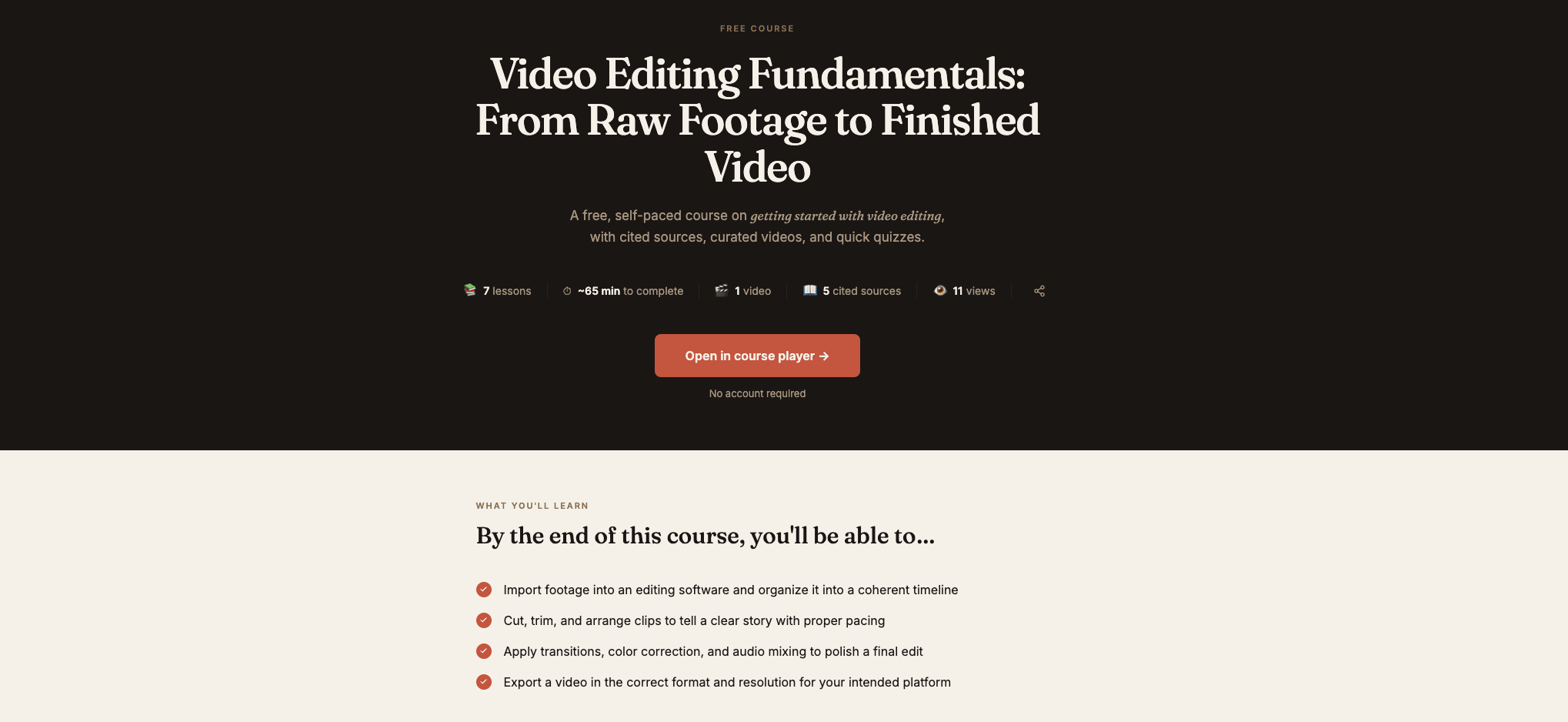
The Video Editing Fundamentals course on Brainmunk covers 7 structured lessons: choosing editing software, importing and organizing media, cutting and building the assembly edit, transitions and visual effects, color correction, audio editing, and exporting for distribution.
The whole course takes about 35 minutes. No account required to access it.
The course is tool-agnostic, so it works whether you end up using DaVinci Resolve, Premiere Pro, or CapCut. Once you have the foundation, you can generate spin-off courses on any specific tool or technique directly from Brainmunk in under 60 seconds.
The free plan covers your first three courses with every feature included. No credit card or trial period required.
Start the Video Editing Fundamentals Course Free
Pros
- 7 structured lessons covering the full editing workflow
- Tool-agnostic, so it applies to any software you choose
- Research-backed content with cited sources
- Generate follow-up courses on any specific tool or technique
- No account or credit card required to start
Cons
- AI-generated, so verify specific software steps with official documentation
- Free plan limited to three courses total
2. Official DaVinci Resolve Training – Blackmagic Design
Best for: Learning DaVinci Resolve from the company that makes it, completely free
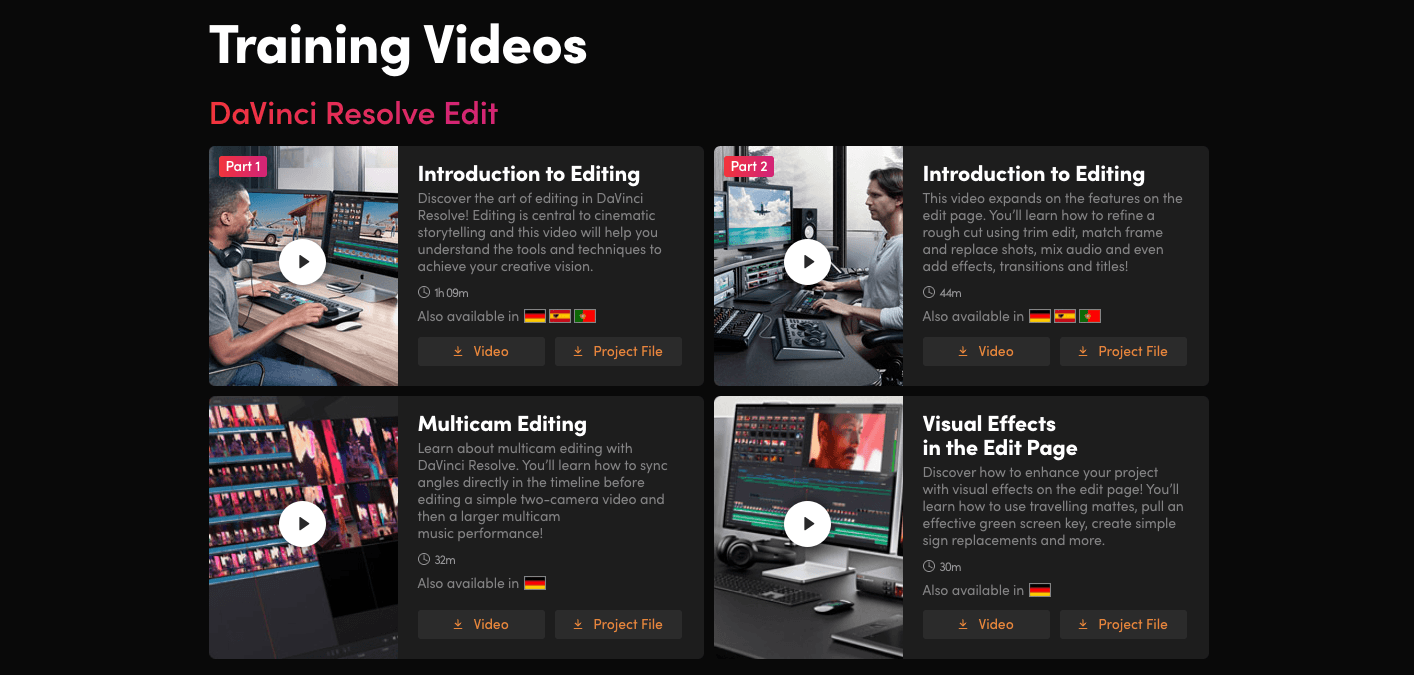
Blackmagic Design offers free official training for DaVinci Resolve directly on their website. This includes video training series covering editing, color grading, audio (Fairlight), and visual effects (Fusion), plus free PDF training guides you can download for every module.
DaVinci Resolve itself is free to use. The professional version used in Hollywood productions is available at no cost, making this one of the best free software-plus-training combinations available anywhere.
The training is structured for beginners through to professionals. Start with the Intro to Video Editing series, then work through color and audio as your projects require them. Practice files are included with each module.
Access Free DaVinci Resolve Training from Blackmagic Design
Pros
- Official training from the software developer
- Covers editing, color, audio, and visual effects
- Free downloadable PDF training guides with practice files
- DaVinci Resolve itself is free to use
- Certification pathway available for those who want credentials
Cons
- DaVinci Resolve-specific, so not useful if you’re using Premiere or CapCut
- The interface can feel overwhelming for complete beginners without some prior foundation
3. DaVinci Resolve Video Editing Specialization – Coursera
Best for: A structured, university-style path through DaVinci Resolve from beginner to confident editor
The DaVinci Resolve Video Editing Specialization on Coursera walks you through the full post-production pipeline, from basic editing to color grading and audio mixing. It’s beginner-friendly but goes deep enough to produce professional-quality content by the end.
You can audit individual courses in the specialization for free, giving you access to all video lectures and course materials without paying. A certificate requires a paid subscription.
This is the best option if you want a more structured, sequential learning path than Blackmagic’s self-directed training, with the added benefit of Coursera’s platform for progress tracking.
Audit the DaVinci Resolve Specialization Free on Coursera
Pros
- Structured specialization format with clear progression
- Covers editing, color grading, and audio mixing
- Free to audit with no credit card required
- Beginner-friendly with real-world project files
- Platform tracks your progress through the course
Cons
- Certificate requires paid Coursera subscription
- DaVinci Resolve-specific like the Blackmagic training
- Specializations require more time commitment than a single course
4. Video Editing Tutorials – Premiere Gal (YouTube)
Best for: Practical, software-specific tutorials for Premiere Pro, CapCut, and other tools
Premiere Gal is one of the most trusted free video editing tutorial channels on YouTube. The channel covers Adobe Premiere Pro, CapCut, and general editing techniques in practical, project-based videos. Every tutorial is free to watch with no account required.
It’s particularly useful for creators who need to learn a specific technique fast, such as color grading a particular look, adding captions, or setting up a multicam edit. The search function on YouTube lets you find exactly what you need without working through a full course.
Use this alongside the Brainmunk foundation course. Brainmunk gives you the overview; Premiere Gal shows you the specific steps inside real software.
Watch Free Video Editing Tutorials on Premiere Gal
Pros
- Completely free, no account required
- Covers Premiere Pro, CapCut, and general editing techniques
- Great for learning specific techniques without a full course
- Regularly updated with new content
- Project-based approach shows real-world workflows
Cons
- Not a structured course, requires self-direction to build skills systematically
- Quality varies across individual videos
- Primarily Premiere Pro-focused; less content for DaVinci or Final Cut
Which Course Should You Start With?
Start with Brainmunk. The Video Editing Fundamentals course gives you a tool-agnostic foundation in about 35 minutes. You’ll understand the full editing workflow before investing time in any specific software.
From there, download DaVinci Resolve for free and work through Blackmagic Design’s official training. The software is free, the training is free, and the combination is genuinely one of the best no-cost learning setups available for any skill.
If you prefer a more structured path than Blackmagic’s self-directed training, audit the Coursera DaVinci Resolve Specialization for free. It covers the same material with clearer progression and progress tracking.
Use Premiere Gal whenever you need to learn a specific technique quickly. It’s the best resource for “how do I do X in Premiere Pro” questions and works well as a companion to any of the above courses.
If you’re building your own online course around video production or content creation, see our guide to free tools to learn anything online and the best free AI course generators for more on how to structure what you’re building.
Frequently Asked Questions
What is the best free course to learn video editing online?
Brainmunk’s Video Editing Fundamentals course is the best starting point. It covers the full editing workflow in 7 lessons and takes about 35 minutes. For software-specific training, Blackmagic Design’s free official DaVinci Resolve training is the best no-cost option after that.
Is DaVinci Resolve really free?
Yes. DaVinci Resolve is free to download and use. The free version includes the full editing, color grading, audio, and visual effects toolset that professional editors use. A paid Studio version exists with additional features, but the free version is more than sufficient for most creators.
How long does it take to learn basic video editing?
Most people can edit a simple video within a few hours of starting. The Brainmunk foundation course takes about 35 minutes. Blackmagic’s intro editing series takes a few hours to work through. Getting comfortable with cuts, transitions, and basic color correction typically takes a few days of practice with real footage.
Do I need expensive software to learn video editing?
No. DaVinci Resolve is completely free and is the same software used in professional film and TV production. CapCut is also free and works well for social media content. You do not need Adobe Premiere Pro or Final Cut Pro to learn the fundamentals of video editing.
What is the difference between video editing and color grading?
Video editing covers the structural work: cutting clips, arranging a timeline, adding transitions, and building the story. Color grading is the process of adjusting the colors, contrast, and tone of the footage to achieve a specific visual style. Most professional editing tools include both features. The Brainmunk course covers both as part of the full editing workflow.