 Chris Cho
The best free online course to learn Canva in 2026 is the Getting Started with Canva course on Brainmunk. It’s structured, requires no account, and covers everything from account setup to brand kits and exporting your designs in 7 focused lessons.
If you want to learn directly from Canva itself, their free Canva Essentials course on Canva Design School is the best official starting point and comes with a free certificate.
Most small business owners are already using Canva but only scratching the surface of what it can do. These courses get you from basic templates to professional-looking designs without spending a dollar.
Every course below is genuinely free to learn from. Not a free trial. Not a teaser module.
We offer this website completely free to our visitors. To help pay the bills, we’ll often (but not always) set up affiliate relationships with the top providers after selecting our favorites. However, we do our best not to let this impact our choices. There are plenty of high-paying companies we’ve turned down because we didn’t like their product.
An added benefit of our relationships is that we always try to negotiate exclusive discounts for our visitors.
Quick Comparison
| Course | Best For | Length | Certificate |
|---|---|---|---|
| Brainmunk (AI-generated) | Self-directed learners | ~21 min | No |
| Canva Design School | Complete beginners, official resource | 60 min | Yes (free) |
| Alison | Absolute beginners, structured intro | 1-2 hrs | Paid option |
| Coursera | Learners wanting a structured course with assignments | 3 hrs | Paid option |
1. Getting Started with Canva – Brainmunk
Best for: Self-directed learners who want a structured, customizable path
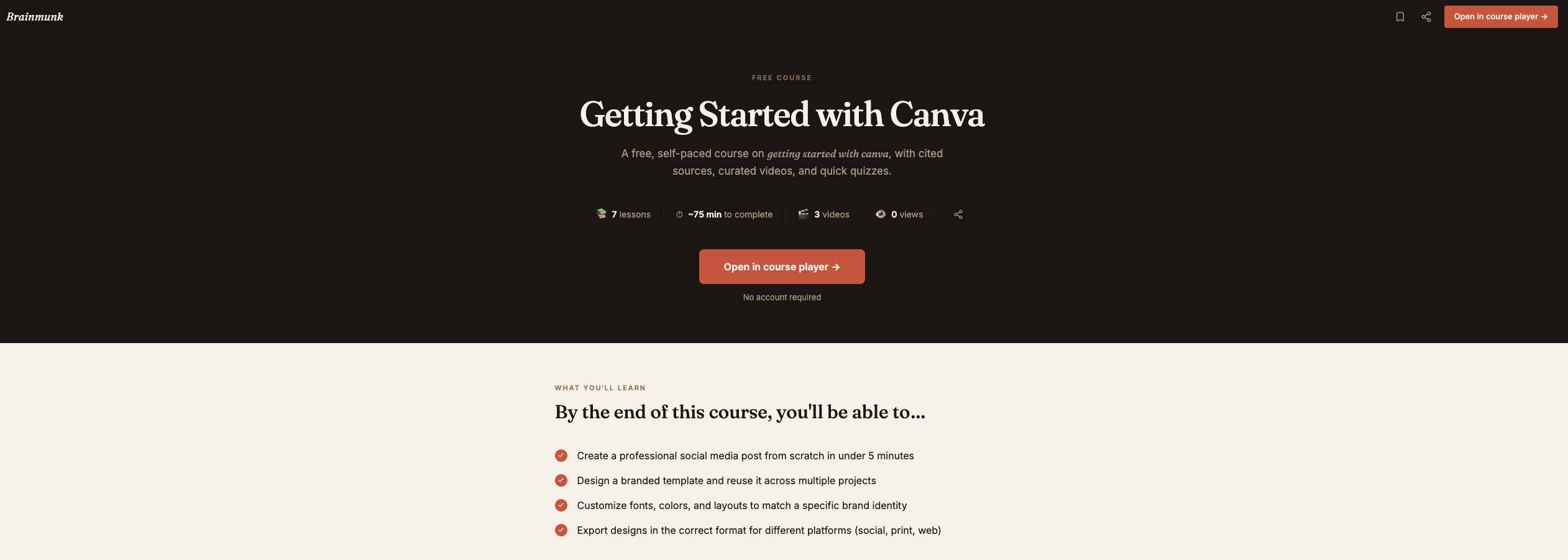
This is the fastest way to go from a blank canvas to a finished design.
The course was built using Brainmunk’s AI course generator, which searches the web, structures the content, and produces a research-backed course with cited sources and embedded videos.
The result is a clean 7-lesson course covering exactly what a small business owner needs: setting up your account, working with templates, typography, colors, images, brand kits, and exporting your finished designs.
No account required to access it.
What the course covers:
- Account setup and navigating the Canva interface
- Working with templates and customizing layouts
- Text, fonts, and typography
- Colors, backgrounds, and visual elements
- Working with images and uploads
- Creating and saving brand kits
- Exporting, downloading, and sharing your design
Each lesson takes around 3 minutes to read through. You can complete the whole course in one sitting.
Brainmunk is an AI course generator, not a fixed library. If you want to go deeper on a specific topic, say Canva for social media or Canva presentations, you can generate a new course on that exact topic in under a minute.
The free plan covers your first three courses with no signup required.
Access the Brainmunk Canva course free
Pros
- No account or signup required
- 7 focused lessons, completable in one sitting
- Cited sources in every lesson
- Can generate follow-up courses on any Canva topic for free
Cons
- No certificate
- AI-generated content, not taught by a design professional
- Free plan limited to 3 courses
2. Canva Essentials – Canva Design School
Best for: Complete beginners who want to learn from Canva directly, with a free certificate
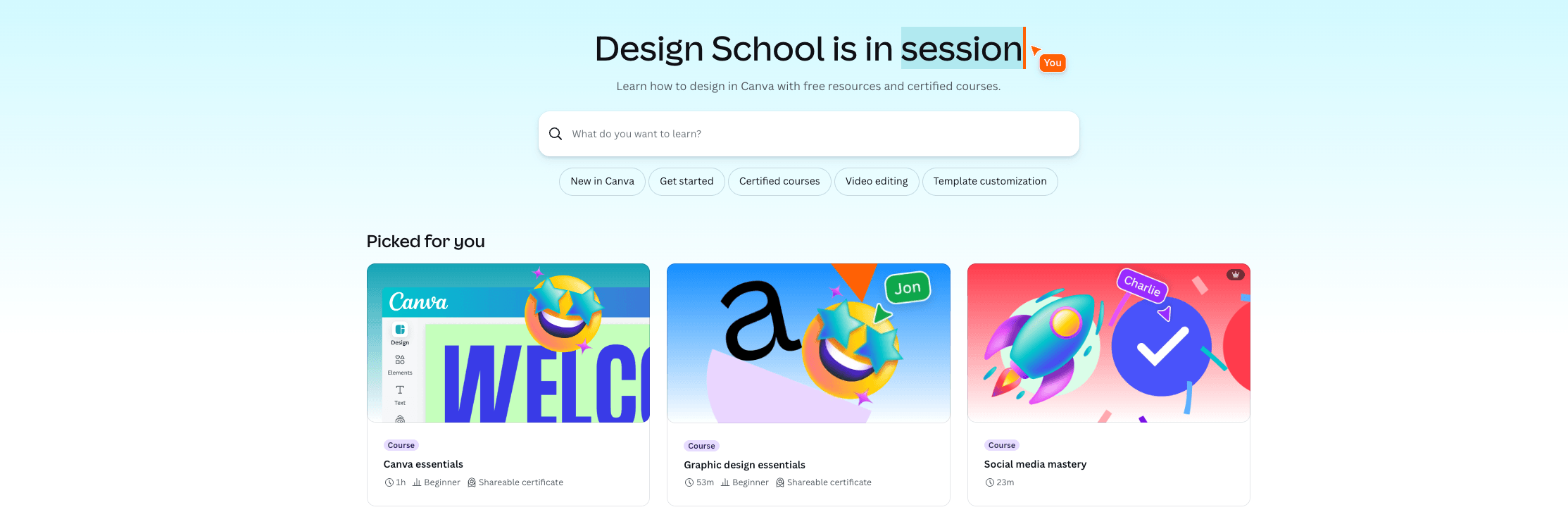
Canva’s own free learning platform hosts over 100 courses and tutorials, and Canva Essentials is the best starting point for someone new to the tool.
It’s a 60-minute course covering everything from opening Canva for the first time to navigating the interface, customizing templates, using AI-powered Magic Design, uploading photos, working with elements, and sharing your finished designs.
The course was developed with working designers and is updated immediately when new Canva features launch, including AI tools like Magic Write and Background Remover.
At the end, you can sit a free knowledge test and earn a Canva certificate you can add to your LinkedIn profile.
Access Canva Essentials on Canva Design School free
Pros
- Official content from Canva itself, always up to date
- Free certificate you can add to LinkedIn
- Covers AI-powered features like Magic Design and Magic Write
- Completely free, just needs a free Canva account
Cons
- Requires creating a free Canva account
- 60 minutes is longer than the other courses on this list
- Focused on Canva’s own features, not broader design principles
3. Introduction to Canva – Alison
Best for: Absolute beginners who want a structured intro with an optional certificate
Alison’s free Introduction to Canva course covers the basics of navigating the interface and creating simple projects like logos, social media posts, and presentations.
It’s a good fit if you’ve never touched a design tool before and want something that eases you in without overwhelming you.
All Alison courses are free to enroll in and learn from. A paid certificate is available if you need proof of completion.
Access Introduction to Canva on Alison free
Pros
- Completely free to learn
- Beginner-friendly, no prior design experience needed
- Covers practical projects like logos and social media posts
- Optional paid certificate available
Cons
- Certificate requires payment
- Content may lag behind Canva’s latest features
- Less depth than the Canva Design School course
4. Canva Design Fundamentals – Coursera
Best for: Learners who want a structured course with real assignments
Coursera’s Canva Design Fundamentals is a 3-hour beginner course covering design principles alongside the Canva platform itself, including color theory, typography, layout, and creating graphics for social media and marketing.
It includes 3 graded assignments, which makes it the most rigorous option on this list.
The course is free to audit, meaning you can access all the video content and learning materials at no cost. A shareable certificate is available if you pay for Coursera Plus or upgrade individually.
It was last updated in November 2025, so the content is current.
Audit Canva Design Fundamentals on Coursera free
Pros
- Covers design principles, not just Canva features
- 3 graded assignments that reinforce learning
- Free to audit, no payment required for content
- Updated November 2025
Cons
- Certificate requires Coursera Plus or paid upgrade
- Longer time commitment than the other courses on this list
- Requires a Coursera account to access
Which Course Should You Start With?
If you’re a small business owner who just needs to get up and running with Canva as fast as possible, start with Brainmunk. 7 lessons, no signup, done in under 25 minutes.
If you want to learn from Canva itself and walk away with a free certificate you can add to LinkedIn, Canva Design School — Canva Essentials is the best official option.
If you’ve never used a design tool before and want the gentlest possible intro, Alison is the lowest-friction starting point.
If you want to understand actual design principles alongside the tool and don’t mind doing assignments, Coursera is the most thorough free option on this list.
Once you’re comfortable in Canva, you might find it makes sense to hand more complex design work off entirely. Our guide to the best Canva alternatives is worth a look if you’re evaluating other tools, and our roundup of the best AI tools for graphic design covers what’s possible when you go beyond Canva.
Frequently Asked Questions
Is Canva free to learn?
Yes. All four courses on this list are free to access. Canva itself also has a generous free plan that gives you access to thousands of templates and design tools without paying anything.
How long does it take to learn Canva?
Most people can create their first professional-looking design within an hour of starting. The Brainmunk course covers the full foundation in about 21 minutes. More advanced features like brand kits, animations, and AI tools take more time, but Canva’s learning curve is genuinely one of the gentlest of any design tool.
Do I need design experience to learn Canva?
No. Canva was specifically built for people without a design background. All four courses on this list assume no prior knowledge.
What can I make with Canva?
Social media posts, presentations, logos, flyers, business cards, email headers, video content, website graphics, and more. Canva has over 1 million templates covering almost every format a small business would need.
Is Canva Pro worth it?
For most small business owners, the free plan covers the basics well. Canva Pro adds features like background remover, brand kits with multiple palettes, premium templates, and the ability to resize designs across formats instantly. If you’re creating content regularly, it’s worth the upgrade. Our guide to Canva alternatives also covers what you get elsewhere if you’re comparing options.