 Geoff Cudd
Nutshell is the best CRM for small business in 2026. It starts at $13 per user per month on annual billing and is the only tool here that includes unlimited contacts, unlimited storage, free onboarding, free migration, and live human support on every plan.
Pipedrive is the better pick if you want the strongest visual pipeline. HubSpot is the better pick if you need to start on a free plan.
I ranked these nine on what decides whether a small team is still using a CRM in month three: total cost at real team sizes including the add-ons you’ll need, whether contacts and storage are capped, whether you can reach a human when you get stuck, and how long it takes to get a working pipeline.
Feature count is not one of those criteria. You’ll never use eighty percent of what a CRM demo shows you, and you’ll feel the cost of every one of those features.
Here’s how all nine compare.
We offer this website completely free to our visitors. To help pay the bills, we’ll often (but not always) set up affiliate relationships with the top providers after selecting our favorites. However, we do our best not to let this impact our choices. There are plenty of high-paying companies we’ve turned down because we didn’t like their product.
An added benefit of our relationships is that we always try to negotiate exclusive discounts for our visitors.
Best CRM for Small Business (2026)
| CRM | Starting Price | Free Option | Best For |
|---|---|---|---|
| Nutshell | $13/user/mo annual ($19 monthly) | 14-day trial, no card | Small teams that want unlimited contacts and real human support |
| Pipedrive | $24/user/mo ($14 annual) | 14-day trial | Visual pipeline management and deal tracking |
| HubSpot | Free, then $20/seat/mo list | Yes, free forever | Starting free and staying free as long as possible |
| Zoho CRM | $14/user/mo (annual) | Free for up to 3 users | Teams with someone willing to configure it properly |
| Capsule CRM | $21/user/mo ($18 annual) | Free, 2 users, 250 contacts | Clean contact management without the bloat |
| Bigin by Zoho | $7/user/mo (annual) | Free tier available | The cheapest real pipeline CRM you can buy |
| Less Annoying CRM | $15/user/mo flat | 30-day trial, no card | Non-technical owners who want the shortest learning curve |
| folk | $30/user/mo ($24 annual) | 14-day trial, no card | Relationship-led sales where LinkedIn is the channel |
| Close | $19/user/mo ($9 annual, solo) | 14-day trial, no card | Phone-heavy teams that live in a dialer |
Pricing verified August 25, 2026. Where monthly and annual differ, both are shown.
1. Nutshell
Best CRM for small business overall: 5.0/5
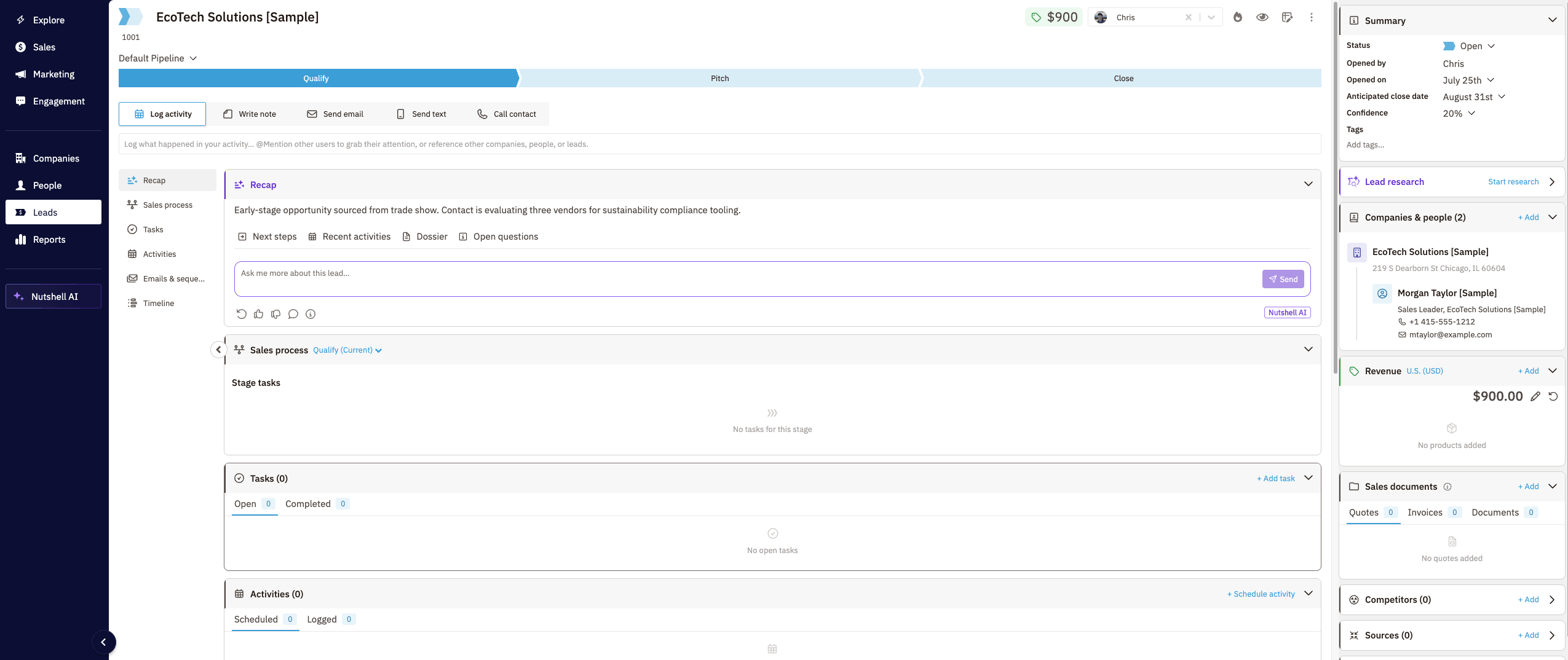

Nutshell is a B2B CRM built in Ann Arbor, Michigan and owned by WebFX. It supports over 5,000 companies across 50 countries, and the entire product is aimed at teams that found Salesforce and HubSpot too heavy for what they actually do.
I ran the 14-day trial. What put it at number one is that every plan includes unlimited contacts, unlimited storage, free onboarding, free data migration, and live human support. Most CRMs treat at least two of those as upgrade bait.
What I found in the trial
The first screen is overwhelming. There’s a lot on it. But the guided walkthroughs use real examples instead of generic tooltips, and within an afternoon it was manageable.
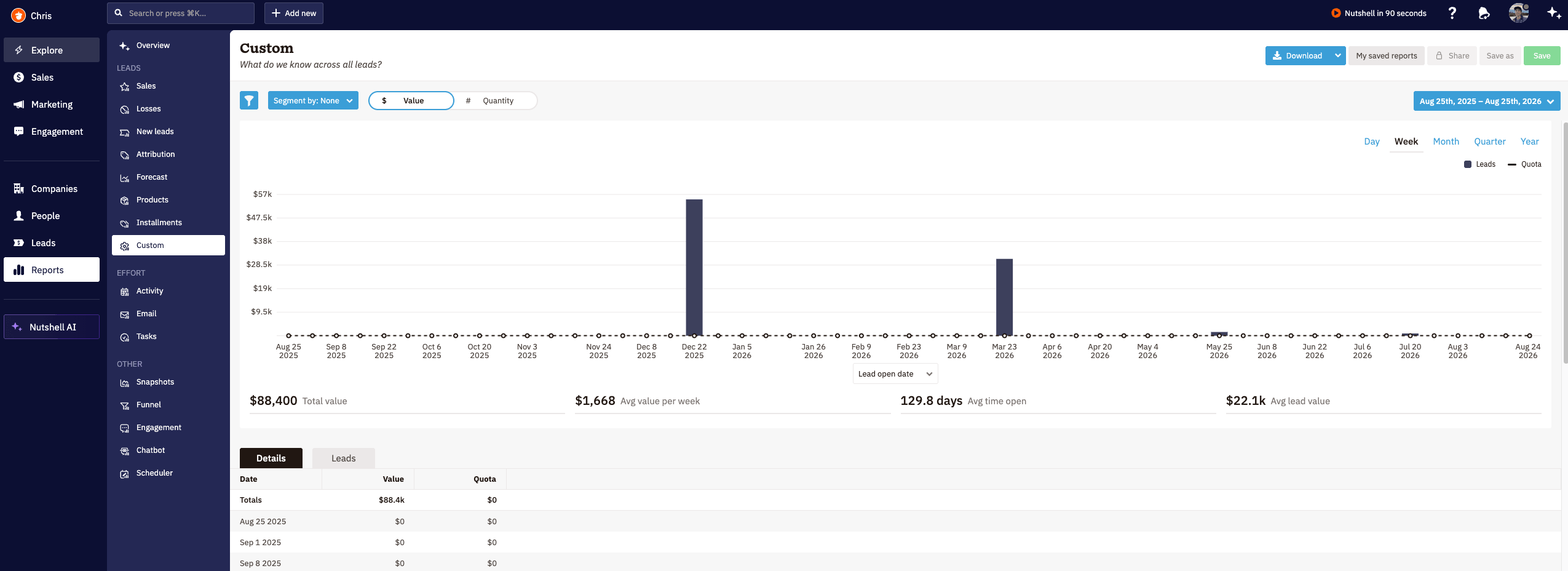
Connecting my own Gmail and calendar worked without a fight. Reports are easy to find and easy to run, which sounds like a low bar until you have used a CRM where reporting is buried three menus deep behind a permission you don’t have.
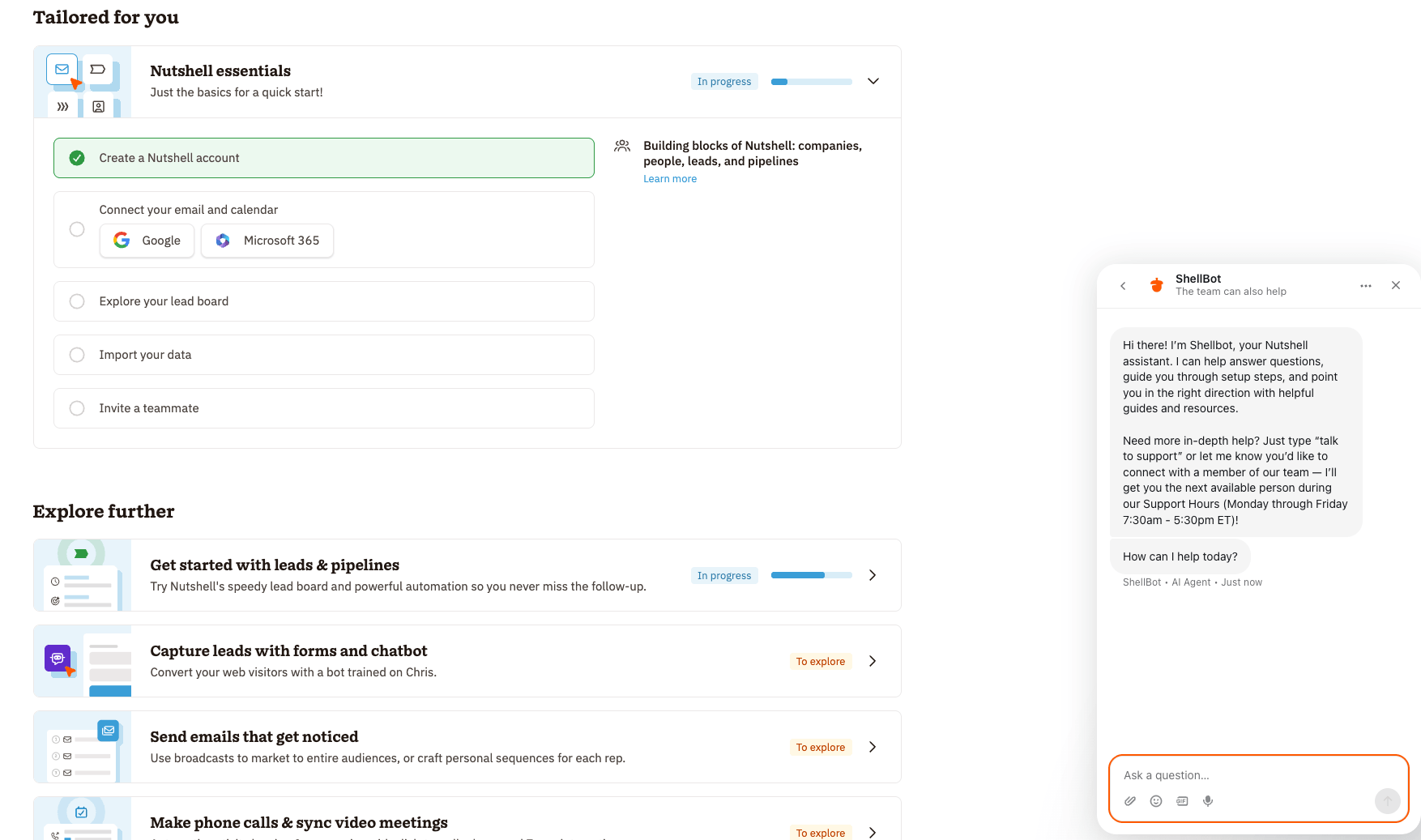
Support is the part that surprised me most. You can skip the AI agent and get to a person. Nutshell lists live chat and email support Monday through Friday, 7:30 AM to 5:30 PM ET, which is a wide enough window for anyone working US hours. I used it and got a useful answer.
One caveat. Chat and email are the free channels on every plan. Scheduled phone support is Enterprise only.
Where it falls short
Reporting depth is the honest weakness. Getting to a report is easy. Building a genuinely custom one with multi-object joins is not, and Zoho and HubSpot Professional both beat it there. Automation is deliberately linear too, so branching logic gets awkward fast.
The add-ons are also where the real bill lives. Price the seat cost plus whatever add-ons you need before you compare it to anything else.
Features:
- Unlimited contacts and storage on every plan
- Free onboarding, migration, and live chat support on every plan
- Two-way Gmail and Outlook email and calendar sync
- Native e-signatures for contracts and proposals with audit trail
- AI call and meeting summarization, lead research, and scoring
- MCP server support, so you can connect Claude or ChatGPT to your CRM data
Pricing (2026):
- Foundation: $13/user/mo annual, $19 monthly
- Growth: $25 annual, $32 monthly
- Pro: $42 annual, $49 monthly
- Business: $59 annual, $67 monthly
- Enterprise: $79 annual, $89 monthly
14-day free trial, no credit card. No seat minimums or maximums.
Add-ons: Marketing Pro $49/mo per account. Engagement (SMS and social inbox) $16/user/mo. Email marketing from $5/mo. SMS from $15/mo. Proposals and Invoices $79/mo.
Pros
- Unlimited contacts and storage on every tier, including the entry plan
- Free onboarding and migration on every plan, not just enterprise
- Live chat and email support on every plan, 7:30 to 5:30 ET weekdays
- Walkthroughs use real examples, so the first-day overwhelm passes quickly
- Reports are easy to find and run
- No seat minimums, so a solo operator can use it
Cons
- Automation is linear, so branching workflows get frustrating
- AI actions are metered per plan, from 10/mo on Foundation to 150 on Enterprise
- Foundation caps you at 100 open leads and a single pipeline
- Phone support is Enterprise only and must be scheduled
2. Pipedrive
Best sales pipeline: 4.5/5
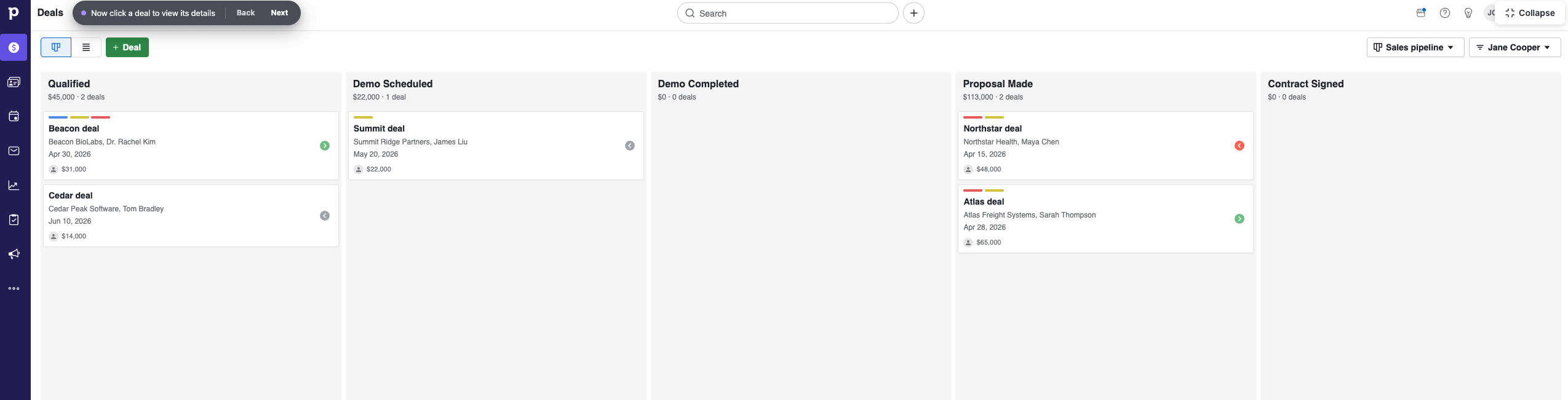

Pipedrive is the best pure visual pipeline in this category. Deals move as cards through stages, and the whole interface is organized around the question of what you should do next. If your problem is that deals go quiet and you lose track of them, this is the fix.
It’s used by over 100,000 companies and was built as a deliberate counterweight to Salesforce and HubSpot. That focus is both the strength and the limit.
Two things to know before you buy. Lite has no two-way email sync at any price, which makes it close to unusable for real sales work. And LeadBooster, the lead capture and chatbot suite, is a separate add-on on Lite and Growth starting at $32.50 per month billed per company.
Features:
- Drag-and-drop visual deal pipeline
- Two-way email sync from Growth up
- Automation builder from Growth up
- Meeting scheduler and activity reminders
- LeadBooster included free on Premium and Ultimate
- Projects module for post-sale delivery
Pricing (2026):
- Lite: $14/user/mo annual, $24 monthly
- Growth: $39 annual, $49 monthly
- Premium: $49 annual, $79 monthly
- Ultimate: $79 annual, $99 monthly
No free plan. 14-day free trial on every tier, no credit card.
Add-on: LeadBooster from $32.50/mo per company, required on Lite and Growth.
Pros
- Clearest visual pipeline of any CRM at this price
- Fast to learn, most teams are running in a day
- Strong mobile app for field and outside sales
- Large integration marketplace
Cons
- Lite has no two-way email sync, which makes it near useless
- No free plan at any tier
- LeadBooster is a paid add-on unless you’re on Premium or above
- Contact and deal limits apply per plan
3. HubSpot
Best free plan: 4.5/5
HubSpot has the most generous free CRM on the market and it’s not close. Contact records, deal pipelines, email tracking, forms, and live chat, free with no expiration date. If you’re moving off a spreadsheet this week and have no budget, start here.
I have used HubSpot. The product is good. My issue is the upgrade path.
Starter lists at $20 per seat per month, currently discounted to $7 annual or $10 month-to-month for new customers. At that price it’s a bargain, and HubSpot doesn’t require paid onboarding at Starter.
The problem is what Starter leaves out. It’s thin on automation and reporting, and the moment you need either you’re at Sales Hub Professional at $90 per seat per month on annual billing. HubSpot requires onboarding at Professional and Enterprise, and that one-time fee lands in year one. For a small team, that math stopped making sense for me.
Run the numbers before you commit. A three-seat team on Sales Hub Professional pays $3,240 in seat cost for year one, plus the required onboarding fee on top. The same three seats on Nutshell Pro run $1,512 a year with onboarding included.
If you want to learn the platform properly first, we have a roundup of the best free online courses to learn HubSpot.
Features:
- Free CRM with contacts, deals, email tracking, forms, and live chat
- Starter seat unlocks Starter-level features across all hubs
- Deep marketing automation at Professional and above
- Best-in-class reporting and dashboards on paid tiers
- Enormous app marketplace and integration ecosystem
- Free view-only seats, unlimited, on paid portals
Pricing (2026):
- Free CRM: $0, no expiration date
- Starter: $20/seat/mo list, currently $7 annual or $10 monthly for new customers
- Sales Hub Professional: $90/seat/mo annual, $100 monthly
- Enterprise: from $150/seat/mo
The Starter discount is a limited-time promotion for new customers.
Watch for: onboarding is required and billed at Professional and above.
Pros
- Most generous free CRM available anywhere
- One Starter seat opens Starter features across every hub
- Reporting and dashboards are excellent on paid tiers
- Scales all the way to enterprise without migrating
Cons
- Steep jump from Starter to Professional pricing
- The $7 Starter rate is a limited-time promo for new customers, not the list price
- Onboarding is required and billed at Professional and above
- Free plan excludes automation, custom reporting, and branding removal
- Marketing Hub bills by marketable contacts, which climbs with your list
4. Capsule CRM
Best for simple contact management: 4.5/5
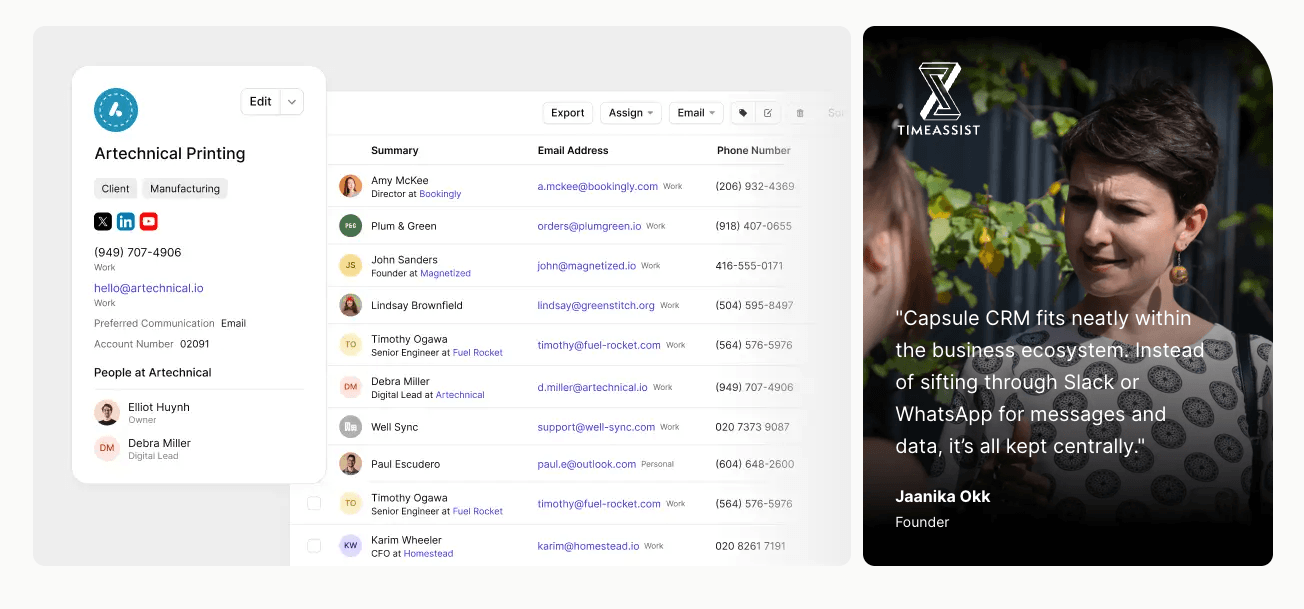
Capsule is what you pick when you want a clean contact database and a readable pipeline and nothing else. It’s a UK-built CRM with strong Xero and QuickBooks integrations, which makes it a natural fit for consultancies and agencies that already run their books there.
The free plan is genuinely usable for one or two people, though 250 contacts disappears the moment you import your email history.
The gap to watch is marketing. Capsule ships no email campaign engine, so newsletters and nurture sequences mean bolting on Mailchimp or Transpond as a separate subscription.
Features:
- Clean contact and organization records
- Multiple sales pipelines from Starter up
- Workflow automation from Growth up
- Project boards for post-sale delivery
- Native Xero and QuickBooks integrations
- Solid mobile app
Pricing (2026):
- Free: 2 users, 250 contacts, 50MB storage
- Starter: $18/user/mo annual, $21 monthly
- Growth: $36 annual, $42 monthly
- Advanced: $54 annual, $60 monthly
- Ultimate: $72 annual, $75 monthly
14-day trial on paid plans. No setup fees.
Budget separately for: email marketing, via Transpond or Mailchimp.
Pros
- Genuinely simple, which means people actually use it
- Transparent pricing with no required add-ons
- Real free tier for solo operators and two-person teams
- Strong accounting integrations
- Storage scales per user by tier rather than one shared cap
Cons
- No native email marketing, so you need a second tool
- Automation is simpler than Pipedrive or HubSpot
- Workflow automation requires Growth, so Starter is contacts only
- Free plan storage is capped at 50MB total
5. Less Annoying CRM
Easiest to learn: 4.5/5
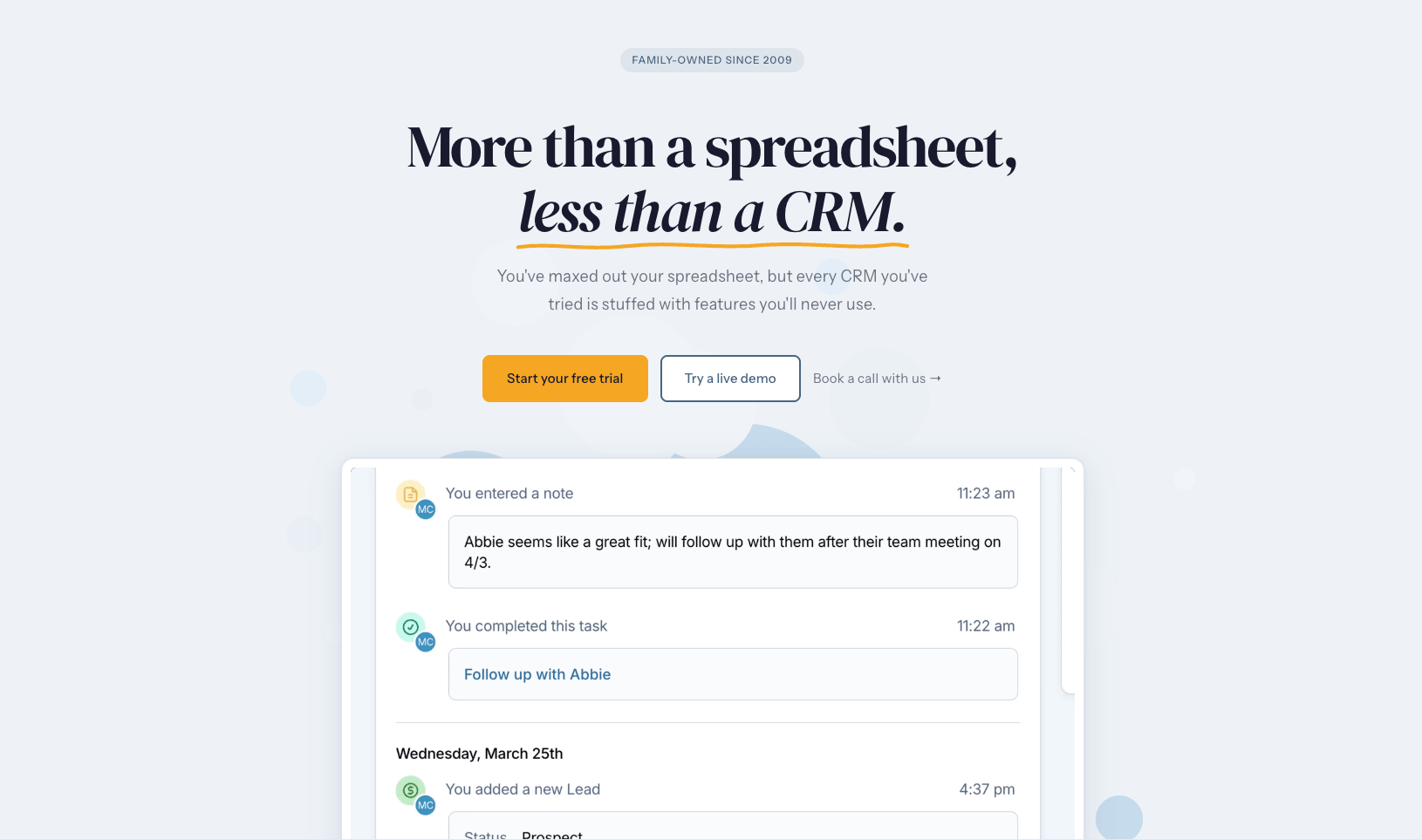
Less Annoying CRM has the highest user satisfaction scores in this entire category. It sits at 4.9 out of 5 on G2 across 648 reviews, with 9.8 on ease of use and 9.8 on quality of support. Those are not normal numbers.
One flat price, one plan, no tiers, no feature gates. That alone removes the single most common source of CRM frustration, which is discovering the thing you need lives one plan up.
The tradeoff is real. This is deliberately minimal software. If you need branching automation, deep custom reporting, or a native dialer, look elsewhere. If you’re a non-technical owner who wants contacts, tasks, and a simple pipeline that your team will actually update, nothing on this list is easier.
Features:
- One plan, one price, every feature included
- Contacts, companies, notes, tasks, and a simple pipeline
- Calendar and task management built in
- Email logging and calendar sync
- Free phone and email support
- Unlimited custom fields
Pricing (2026):
- One plan: $15/user/mo, same price monthly or annually
That’s the entire pricing page. No tiers, no contracts, no feature gating, no annual discount to calculate.
30-day free trial, no credit card required.
Pros
- Highest satisfaction and support scores in the category
- Single flat price with zero feature gating, monthly or annual
- Shortest learning curve of any CRM here
- Support quality is the highest-rated attribute in its reviews
Cons
- Minimal by design, so it won’t scale into complex sales ops
- No native email marketing or dialer
- Reporting is basic
- Smaller integration ecosystem than Zoho or HubSpot
6. Bigin by Zoho
Cheapest real CRM: 4.5/5
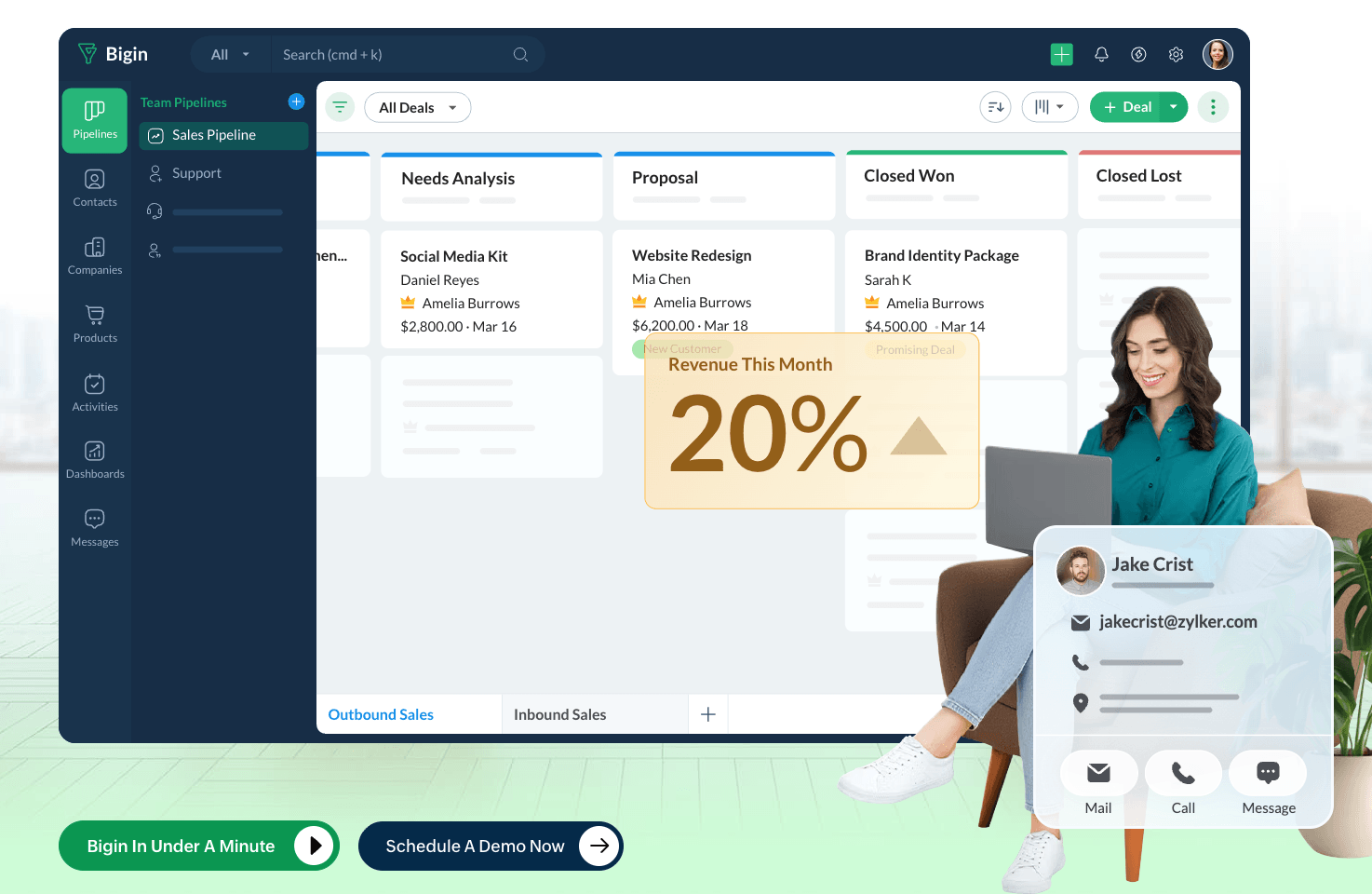
Bigin is Zoho’s answer to the complaint that Zoho CRM is too much. It strips the platform down to pipeline management, contacts, and light automation, and prices it at $7 per user per month.
It sits at 4.6 on G2, and over 90 percent of those reviewers are small businesses. That’s the most relevant review sample of anything on this list.
At $7 a seat, a three-person team pays $21 a month total. It also includes voice calling, which almost nothing else at this price does, though carrier charges apply on top.
The ceiling arrives quickly. If you need AI lead scoring, real marketing automation, or serious reporting, you’ll outgrow it, and the upgrade path lands you back in full Zoho CRM at $14 per user minimum.
Features:
- Pipeline management with multiple pipelines on higher tiers
- Built-in voice calling, rare at this price
- Email and calendar integration
- Workflow automation on paid tiers
- AI agents including writing assistant and record summary
- Bi-directional sync with Zoho CRM if you upgrade later
Pricing (2026):
- Free: 1 user, 1 pipeline, 500 records
- Express: $7/user/mo annual, $9 monthly
- Premier: $12 annual, $15 monthly
- Bigin 360: $18 annual
Free trial on every plan.
Budget separately for: Zoho Campaigns, Desk, or Analytics if you need them.
Pros
- Lowest real per-seat cost of any CRM on this list
- Built-in calling at an entry-level price
- Free plan is usable for a solo operator
- Fastest setup in the Zoho family by a wide margin
Cons
- You’ll outgrow it if your sales process gets complex
- No serious marketing automation or AI lead scoring
- Email and campaign tooling requires separate Zoho subscriptions
- Reviewers report occasional lag during high-traffic periods
7. folk
Best for LinkedIn-led outreach: 4.5/5
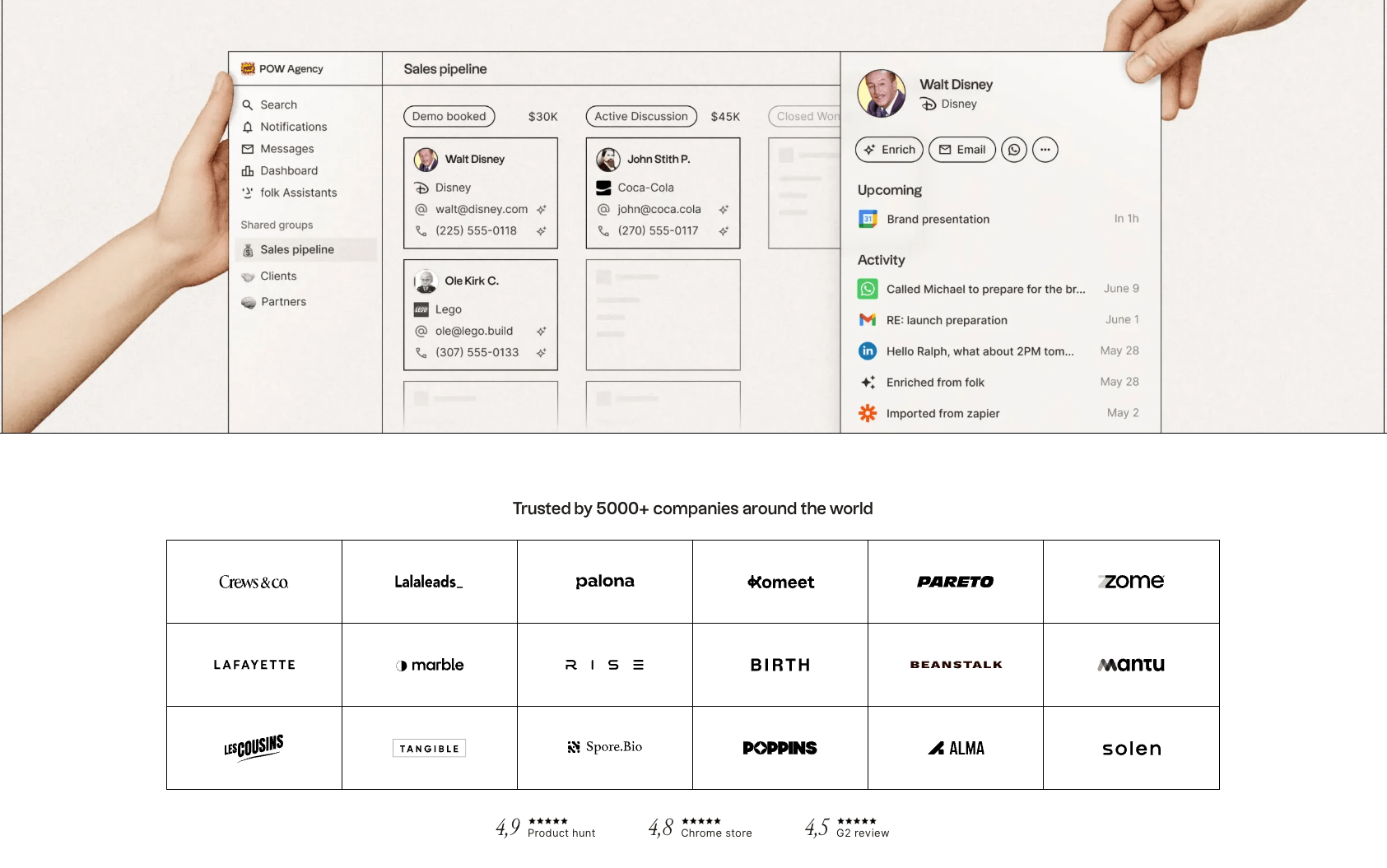
folk is a design-led CRM built for freelancers, consultants, and small teams whose pipeline runs on relationships rather than inbound forms. The interface is spreadsheet-style and fast, which suits people who think in lists.
The reason to pick it is the Chrome extension. It pulls contacts from LinkedIn, Gmail, and Crunchbase in a single click and enriches them automatically. If LinkedIn is where your deals start, that one workflow is worth more than most feature lists.
It is not the tool for structured forecasting or high-volume sales operations. Pipedrive is better at that, and cheaper.
Features:
- folkX Chrome extension for one-click LinkedIn and Gmail capture
- AI contact enrichment
- Email sequences built in
- Spreadsheet-style contact views
- Shared pipelines and collaborative lists
- Modern interface with a very short setup time
Pricing (2026):
- Standard: $24/user/mo annual, $30 monthly
- Premium: $48 annual, $60 monthly
No permanent free plan. 14-day free trial, no credit card.
Pros
- Best LinkedIn capture workflow of any CRM here
- Modern, fast interface that people enjoy using
- Strong AI enrichment on contacts
- Very quick to set up compared to traditional CRMs
Cons
- No free plan, so cost starts on day 15
- Weak forecasting and sales reporting
- Not built for high-volume or structured sales processes
- Fewer native integrations than the established platforms
8. Close
Best for phone-heavy teams: 4.5/5
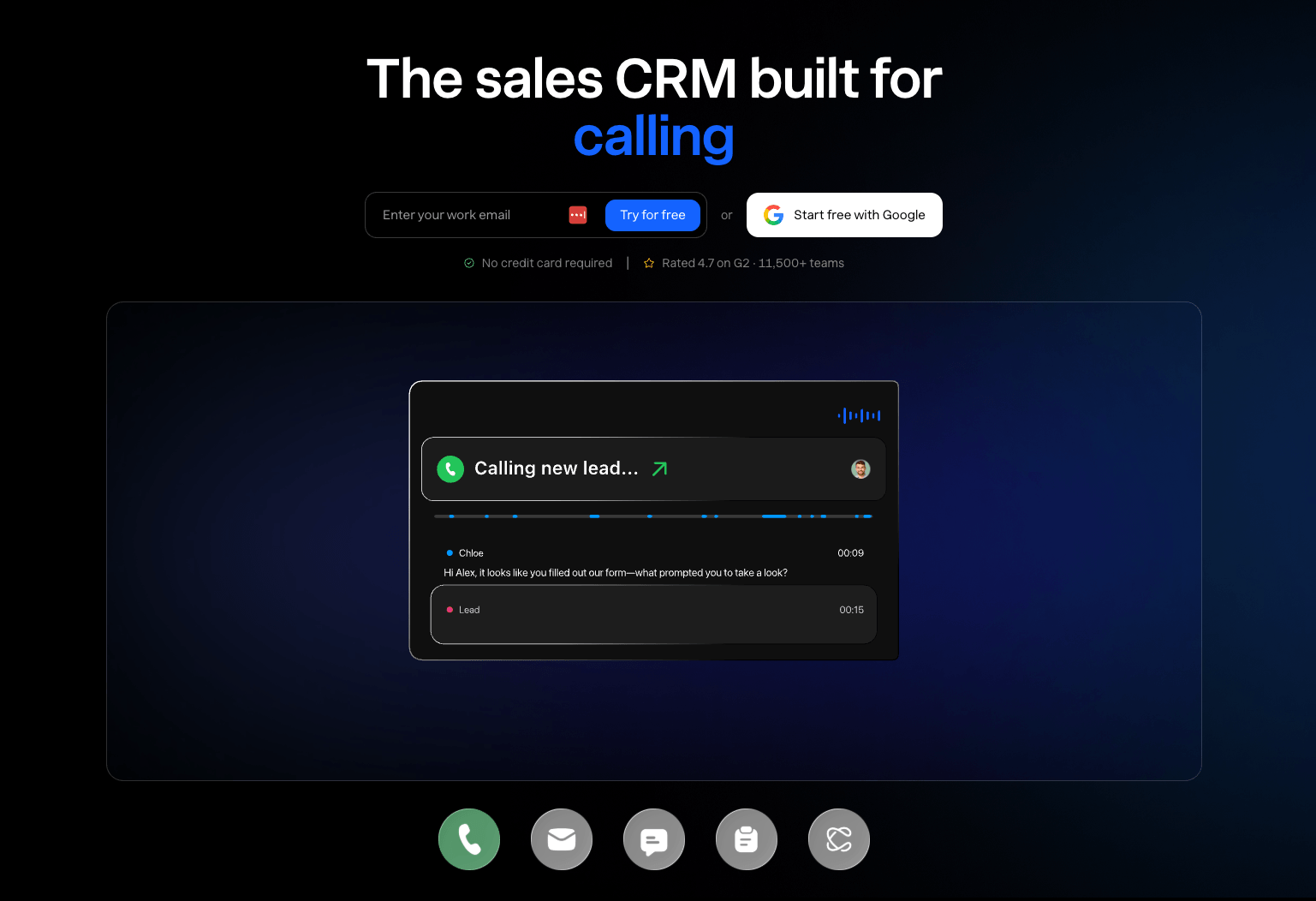
Close is the pick if your team sells on the phone. Calling, SMS, and email are native, not bolted on, so you click a number in a contact record and the call connects through VoIP with no third-party app.
It sits at 4.5 on G2, and the overwhelming majority of reviewers are companies with 50 or fewer employees.
Be careful with the headline price. Solo at $9 covers exactly one user. Essentials at $35 gets you unlimited contacts and pipelines plus basic calling, but no workflows and no Power Dialer. The features Close is actually famous for live on Growth at $99 per user per month. Call minutes and SMS bill separately on top.
For most small businesses that handle inbound leads or relationship sales, that’s more CRM than you need. For an outbound team making 50 dials a day, it pays for itself.
Features:
- Native VoIP calling, SMS, and email in one interface
- Power Dialer on Growth and above
- Predictive dialer and call coaching on Scale
- Email sequences with automatic and manual review steps
- Bidirectional email sync
- AI email assistant and call transcription
Pricing (2026):
- Solo: $9/user/mo annual, $19 monthly, one user only
- Essentials: $35/user/mo annual
- Growth: $99/user/mo annual
- Scale: $139 annual, $149 monthly
14-day free trial, no credit card. No permanent free plan.
Bills on top: call minutes, SMS, and phone numbers.
Pros
- Best native calling and SMS of any CRM on this list
- Replaces a separate dialer subscription entirely
- Unlimited contacts, leads, and pipelines from Essentials up
- Reviewers consistently report strong ROI for outbound teams
Cons
- The features it’s known for require the $99 Growth plan
- Call minutes and SMS push the real cost well above the seat price
- No permanent free plan
- Overkill and overpriced for inbound or relationship-led sales
9. Zoho CRM
Best feature depth per dollar: 4.0/5
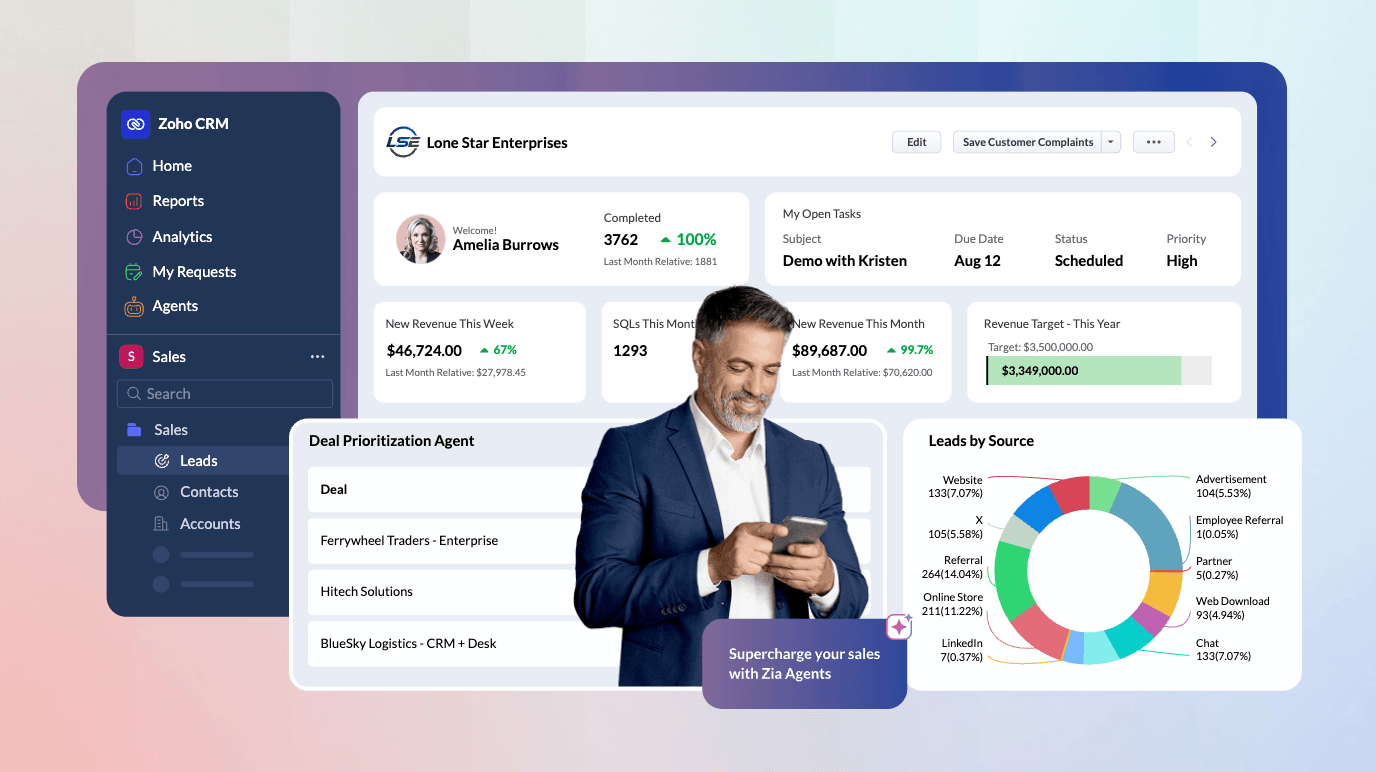

Zoho CRM gets recommended more than anything else on this list, and on paper the recommendation is correct. At $14 per user per month you get more raw capability than competitors charging three times that. Custom modules, blueprints, territory management, deep reporting, and an enormous integration surface.
I did not finish setting it up. The problem was not the CRM itself. It was that Zoho pushes you toward its other applications constantly, and I could not tell what I was actually configuring versus what belonged to a different Zoho product. I abandoned it mid-setup.
That’s the most common complaint about Zoho and it’s worth taking seriously. Zoho expects you to configure a platform before you get a working CRM. If you have someone who will own that configuration and see it through, Zoho gives you more per dollar than anything here. If you’re a solo operator or a three-person team that needs a pipeline running this week, it is the wrong tool.
If you want consolidation, there may be a better shape
Part of Zoho’s appeal is putting everything in one place. If that’s what you’re after and you run a productized service, a general CRM may be the wrong shape entirely. I have used Service Provider Pro for exactly this reason: it handles the pipeline and gives clients a branded portal to order, pay, and track work. Lighter than Zoho, and purpose-built for agencies.
Features:
- Custom modules, fields, and layouts
- Blueprint process automation
- Territory management and advanced permissions
- Deep reporting and analytics
- Zia AI for prediction and lead scoring
- Native integration with the wider Zoho suite
Pricing (2026):
- Free: up to 3 users
- Standard: $14/user/mo annual
- Professional: $23 annual
- Enterprise: $40 annual
- Ultimate: $52 annual
Monthly billing runs about 35 percent higher on every tier.
Budget separately for: Zoho Campaigns if you want email marketing.
Pros
- Most capability per dollar of anything on this list
- Free tier for up to 3 users
- Genuinely deep customization and reporting
- Excellent value if you already use other Zoho apps
Cons
- Setup is confusing because of constant cross-promotion of other Zoho apps
- Interface is dated and less intuitive than competitors
- Needs someone to own configuration, which small teams rarely have
- Time to first working pipeline is the longest here
How I Ranked These
Feature count is a bad ranking criterion for small businesses. Here’s what I used instead.
- Total cost at real team sizes. Seat price plus the add-ons you’ll actually need. Headline pricing hides more than it reveals.
- Caps on contacts and storage. A CRM that makes you delete records or upgrade for space is a CRM you’ll resent.
- Access to a human. Whether support is included at every tier, and whether you can reach a person without fighting a bot.
- Time to first working pipeline. How long from signup to something your team can actually use.
- Where the ceiling is. Every tool here has one. What matters is whether you hit it in month three or year three.
Nutshell wins on caps, support, and setup time outright, and comes in competitive on cost. Zoho and HubSpot Professional both beat it on raw power, which is why the top spot goes to the tool a small team will still be using next year rather than the one with the longest feature list.
What Is a Small Business CRM?
A small business CRM is software that stores your contacts, tracks your deals through stages, and logs every interaction so nothing falls through the cracks. The difference from an enterprise CRM is scope, not category. Small business tools optimize for setup speed and low admin overhead rather than customization depth and governance.
The practical test is whether one person can set it up and the whole team will actually update it. Enterprise CRMs assume a dedicated admin. Small business CRMs assume nobody has time.
Most small teams outgrow spreadsheets when they hit 100 active contacts, or when more than one person needs to see the same pipeline.
How to Choose a CRM for Your Small Business
- Count your seats honestly. Per-user pricing scales linearly. A $49 plan is $245 a month at five seats. Model your real headcount before you fall in love with a demo.
- Find the feature that forces the upgrade. Every CRM gates something you’ll need. For Pipedrive it’s two-way email sync. For Capsule it’s workflow automation. For Close it’s the Power Dialer. Identify yours and price that tier, not the entry tier.
- Check whether email marketing is included. Capsule and Less Annoying have none. Nutshell charges separately. HubSpot bills by marketable contacts. This is the most commonly underestimated line item.
- Ask what support costs. On most platforms real support is an enterprise feature. On Nutshell and Less Annoying it’s included at every tier.
- Confirm API access if you plan to integrate. Several vendors gate API access to top tiers. If you’re building automations, verify this with sales before you buy.
- Use the trial properly. Import real contacts, connect your real email, and run one real deal through it. A demo tells you nothing.
If you’re also mapping out which parts of your operation to automate, our guide to what to automate first in your business pairs well with a CRM rollout.
Frequently Asked Questions
What is the best CRM for small business?
Nutshell is the best overall CRM for small business in 2026. It includes unlimited contacts and storage on every plan, free onboarding and migration on every plan, and live chat support you can reach without going through an AI agent, starting at $13 per user per month on annual billing. Pipedrive is the better choice if you want the strongest visual pipeline, and HubSpot is the better choice if you need to start on a free plan.
What is the cheapest CRM for small business?
Bigin by Zoho is the cheapest real CRM at $7 per user per month on annual billing, with a free tier available. Nutshell Foundation is $13 per user per month on annual billing and $19 monthly, and includes unlimited contacts and storage. HubSpot’s free CRM is genuinely free but excludes automation and custom reporting, and its Starter tier is currently discounted to $7 per seat for new customers.
Is there a good free CRM for small business?
HubSpot has the most generous free CRM, covering contact records, deal pipelines, email tracking, forms, and live chat with no expiration date. Zoho CRM is free for up to three users. Capsule is free for two users and 250 contacts. Bigin also offers a free tier. Every free plan excludes automation and custom reporting, so treat them as a starting point rather than a destination.
What is the easiest CRM to use for a small business?
Less Annoying CRM is the easiest, scoring 9.8 out of 10 for ease of use on G2 across 648 reviews. It has one flat price of $15 per user per month with no tiers and no feature gating, plus a 30-day trial with no credit card. Capsule and Bigin are the next easiest. Zoho CRM is the hardest to set up because of how much it cross-promotes other Zoho applications during onboarding.
How much should a small business pay for a CRM?
Budget $30 per user per month. Below $15 you’re usually giving up email sync, automation, or support. Above $45 you’re paying for enterprise features like territory management and approval chains that small teams rarely use. Budget separately for email marketing, which most CRMs charge for as an add-on.
Do I need a CRM if I am a solo business owner?
Yes, once you’re tracking more than 100 active contacts, or when you start losing follow-ups. Nutshell has no seat minimum, Bigin starts at $7, and HubSpot, Capsule, and Zoho all have free tiers. The cost of a missed follow-up is usually higher than the subscription.