 Geoff Cudd
Bottom line: Brainmunk is the fastest free path from a topic in your head to a structured, research-backed course on it. Cited sources, curated YouTube videos, and quizzes per lesson, generated in under a minute. Free covers your first three courses.
For creators who want to sell what they generate, Coursebox‘s free plan is the strongest option in 2026. Three full courses with all AI features active, including document conversion and the AI tutor chatbot.
The rest of the list covers the specific cases where neither of those is the right fit.
We offer this website completely free to our visitors. To help pay the bills, we’ll often (but not always) set up affiliate relationships with the top providers after selecting our favorites. However, we do our best not to let this impact our choices. There are plenty of high-paying companies we’ve turned down because we didn’t like their product.
An added benefit of our relationships is that we always try to negotiate exclusive discounts for our visitors.
Two types of “free AI course generator”
The search “best free AI course generator” hides two very different intents. Picking the right tool starts with knowing which one is yours.
For self-learners. You want to type a topic and get a structured course you can actually learn from. You are not building a business. You want zero setup, citations you can trust, and a course ready in seconds.
For creators who want to sell. You want a free tier on a serious commercial platform so you can test before paying. You need export, branding, and the ability to host the course on your own site or sell it through checkout.
The lineup below is split accordingly. Brainmunk leads the self-learner side. Coursebox leads the creator side. The rest fill specific use cases inside those categories.
Looking for a full creator-platform comparison instead of free-tier-specific picks? See Best AI Course Creator (2026).
Top picks at a glance
| Tool | Best for | What’s actually free | Sell what you generate? | Paid tier starts at |
|---|---|---|---|---|
| Brainmunk | Self-learners wanting research-backed courses on any topic | 3 full courses with citations, videos, quizzes | No | $9.99/mo |
| Coursebox | Creators who want to sell, doc-to-course | 3 full courses with all AI features | Yes | $10/mo |
| Canva Magic Activities | K-12 educators | Full feature set (for verified educators) | Not designed for sales | N/A for educators |
| Mini Course Generator | Lead magnets, microlearning | 14-day trial of full product | Yes (after trial) | $49/mo |
| COURSE.IM | Embedding free courses on an existing site | Course creation and embedding | Embedded only | Free tier |
Brainmunk: Best for research-backed courses on any topic
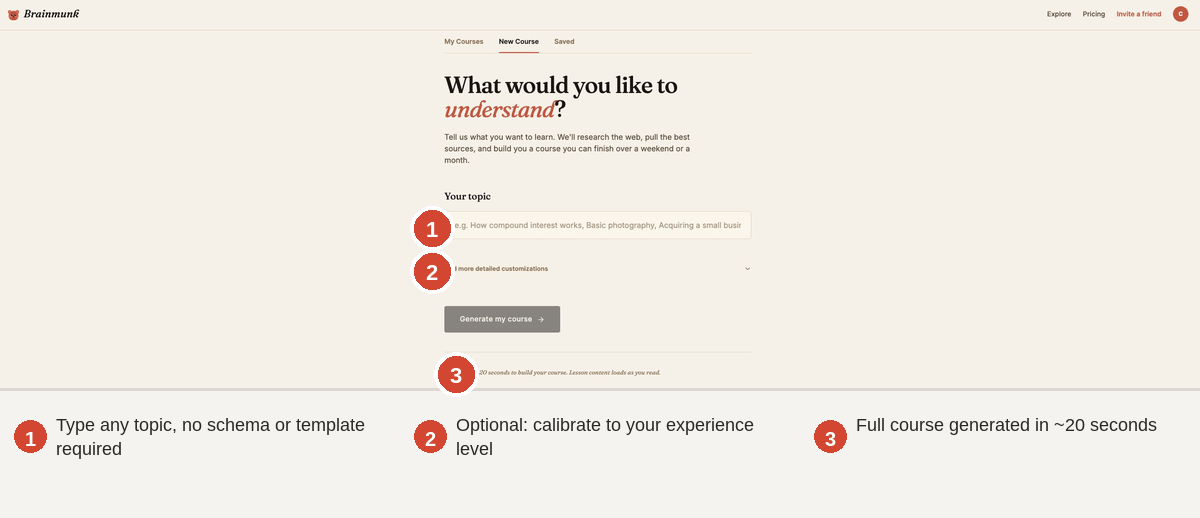
Brainmunk is built around one premise: most people typing “best free AI course generator” into Google are not trying to launch a business. They want a course on a topic, and they want it now.
Type a topic, get a full course in under 60 seconds. Each course includes sequenced lessons calibrated to your stated experience level, cited sources pulled from live web search, curated YouTube videos embedded inside relevant lessons, and a quiz per lesson to make the content actually stick.
This is the part that separates Brainmunk from asking ChatGPT the same question. ChatGPT gives you one long answer. Brainmunk gives you a structured course with progress tracking, citations you can verify, and assessments that test whether you actually learned it.
The free tier covers three full courses with every feature active. No watermarks, no missing components, no time-limited trial.
What Brainmunk does well
- Sub-minute generation. Average generation time is under 60 seconds for a 5 to 6 lesson course. Most “free AI course generators” take 5 to 15 minutes for comparable output.
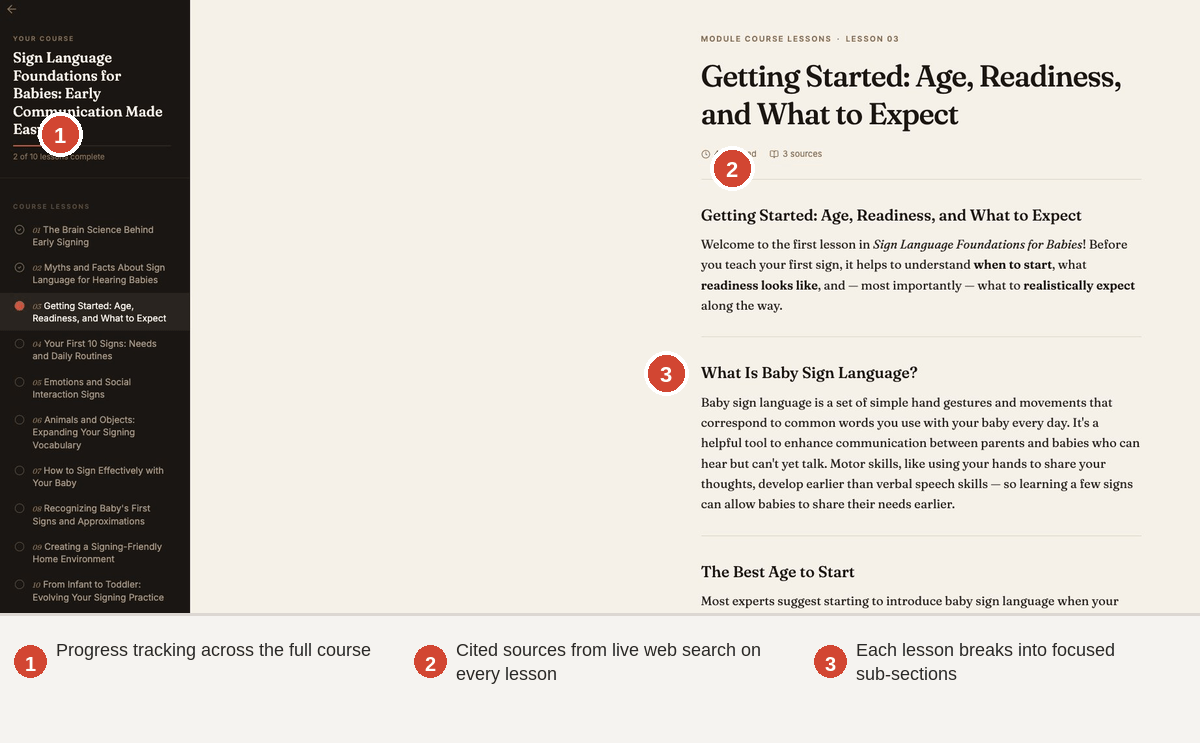
- Research-backed with live citations. Every lesson cites real sources pulled from web search. You can verify what the AI is teaching you, which matters more in 2026 than it did two years ago.
- Curated YouTube videos embedded inline. Lessons that benefit from video include relevant clips selected for that specific topic. No separate video search required.
- Calibrated to your experience level. The same topic generates different courses depending on whether you mark yourself as a beginner, intermediate, or advanced learner.
- Quizzes per lesson. Each lesson ends with a quiz. This is the difference between “I read about it” and “I know it.”
- Genuine free tier. Three full courses with citations, videos, and quizzes. No credit card required to start.
Where Brainmunk falls short
- Not built for selling. Brainmunk is for the learner, not the creator. No checkout, no white-label, no SCORM export.
- Topic-prompt only. No document upload or video-to-course conversion. If you have a 200-page PDF you want converted, look at Coursebox.
- Three-course free cap. Past that, Premium runs $9.99/month for 10 courses per month, which is generous but not unlimited.
- Course sharing is a Premium feature, not Free. If you want to share your generated course with someone else, you need the paid tier.
Brainmunk pricing
Free: 3 courses on any topic, full lessons with citations, curated YouTube videos, quizzes per lesson.
Premium: $9.99/month for 10 courses per month, everything in Free, priority generation, course sharing.
No contracts, cancel anytime. Courses you have already generated stay accessible if you cancel.
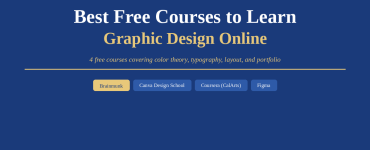
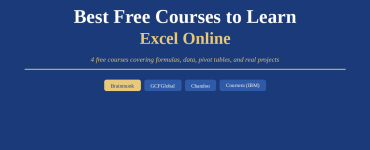
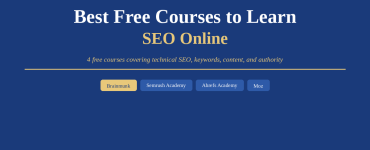
Some Courses Available on BrainMunk:
Try Brainmunk free, no credit card required
Coursebox: Best free tier for creators who want to sell
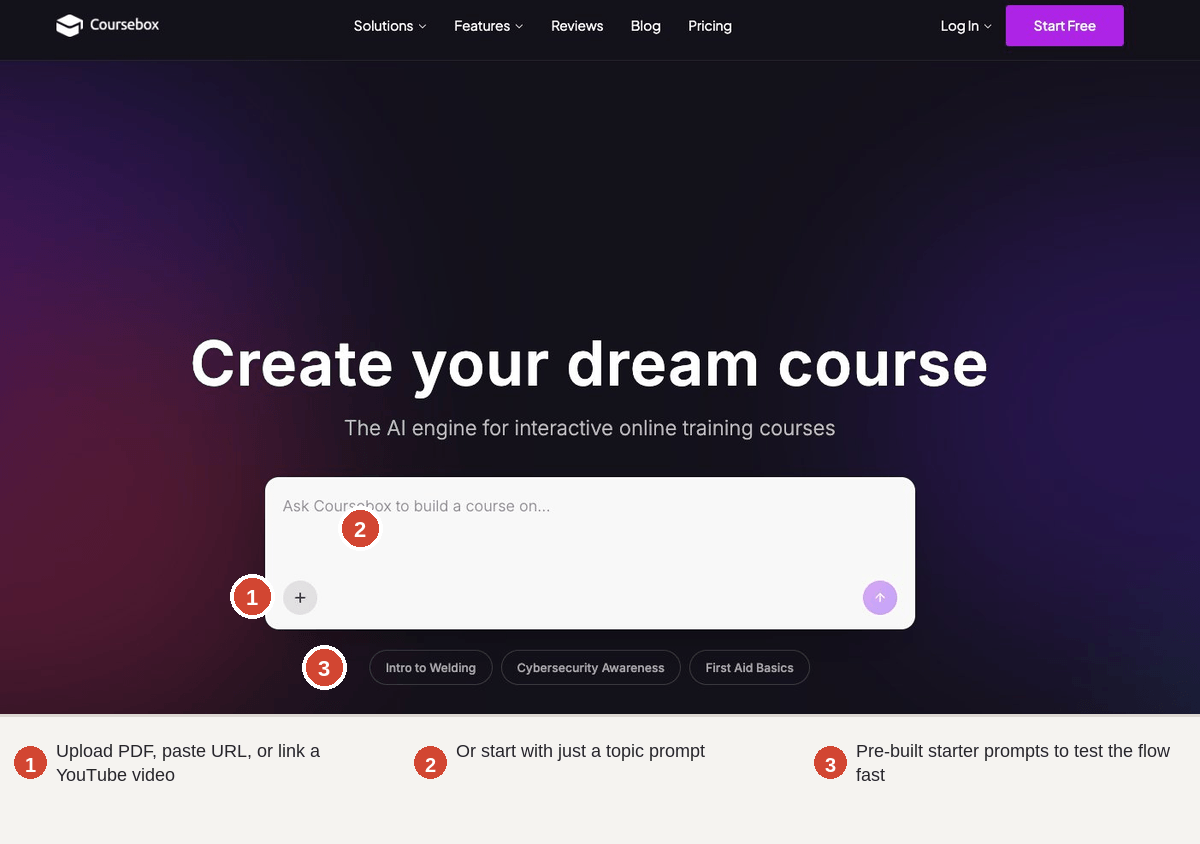
Coursebox is the only tool on this list that gives you a genuinely free path to a course you can sell. Three courses, all AI features active, no trial expiration. That includes the features other platforms paywall: document conversion, AI tutor chatbot, automated grading.
The catch is volume. Three courses is enough to validate the workflow and decide whether the paid plan is worth it. It is not enough to run a full course business indefinitely. That is the deal, and it is a fair one.
What Capterra reviewers actually say
Coursebox holds a 4.8/5 rating on Capterra across 73 reviews as of early 2026. The most consistent praise is for speed and structure. One verified curriculum creator noted the platform “significantly reduces the time required to build structured courses, quizzes, and learning modules compared to manual development.”
The most consistent criticism is design and branding customization. From a verified reviewer: “Great if you want to get a course up and running fast… It does feel a bit limited when you want to customize the design more, and the price can climb once you move past the free plan.”
What’s actually free on Coursebox
- 3 full courses. No trial timer.
- Document-to-course conversion. Upload a PDF, paste a URL, or link a YouTube video.
- AI tutor chatbot for learners. A branded chatbot trained on your course content.
- Automated grading with rubrics. The only tool on this list grading open-ended assignments natively.
Where the free tier ends
- The 3-course cap is the obvious one. Past it, you are on a paid plan.
- Learner volume scales pricing. Coursebox prices by enrollment, which can climb fast for popular courses.
- Design and branding customization is limited even on paid plans.
Coursebox pricing
Free plan: 3 courses, all AI features. Paid creator plans from $10/month. Enterprise pricing is custom and volume-based.
Try Coursebox free, no credit card required
Canva Magic Activities: Best for K-12 educators
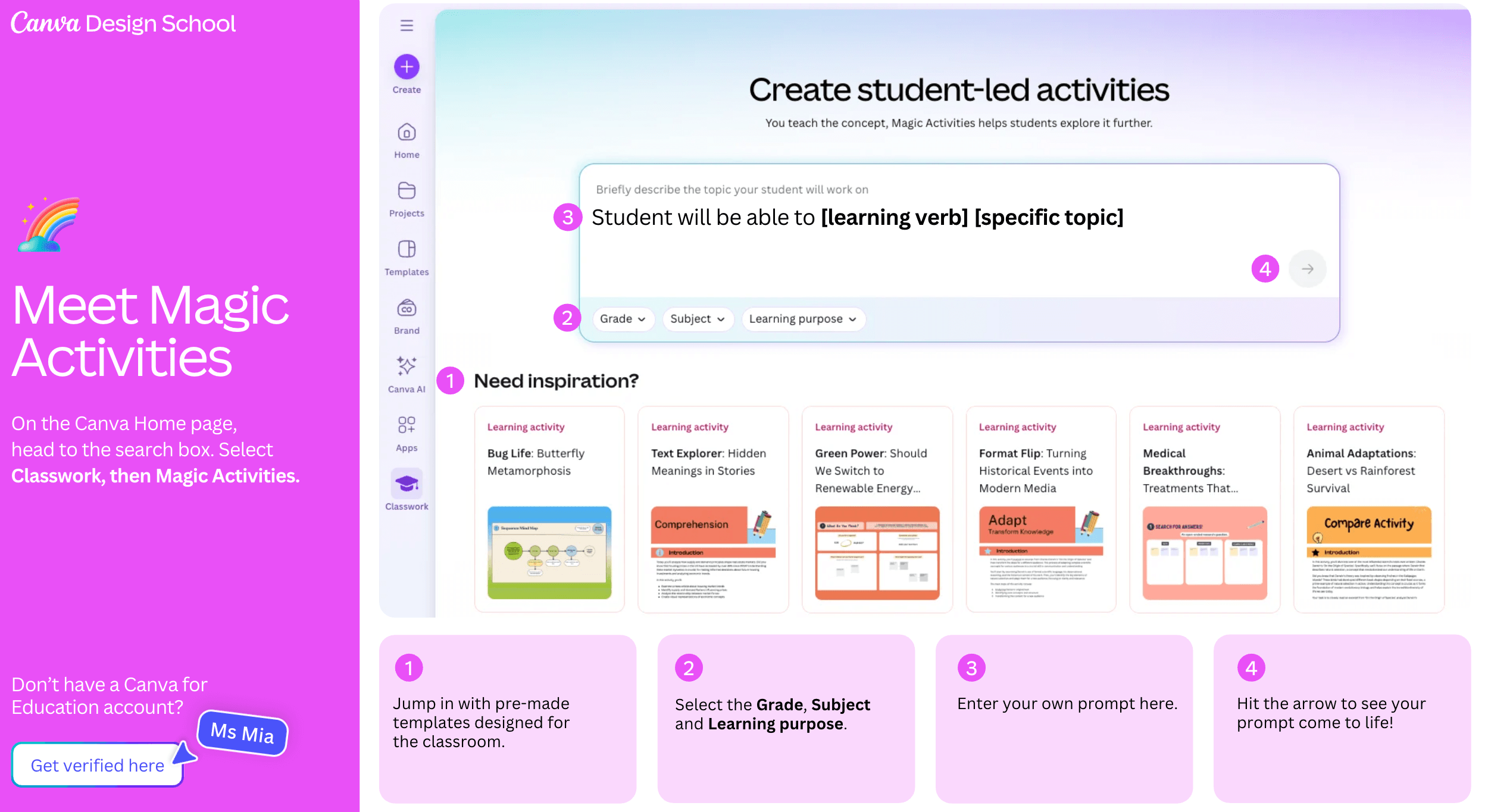
Canva for Education is free for verified K-12 educators, and Magic Activities is the AI course generation tool inside it. Enter a prompt, select grade and subject, and Canva generates editable activity materials in Whiteboard and Docs formats.
This is the easiest free option on the list if you qualify. Canva’s design infrastructure, full template library, and premium graphics come with it. The output is built to drop straight into a classroom workflow, not into an LMS or a paid course funnel.
What Canva Magic Activities does well
- Free for K-12 educators with full access to design tools and premium content.
- Familiar interface. If you have used Canva for anything, you already know the editor.
- Built for classroom output. Whiteboards, worksheets, and printable docs rather than locked-in LMS modules.
Where it falls short
- Verification gated. You need to verify your educator status to access Canva for Education.
- Not designed for selling courses. The output is teaching material, not a sales-ready course product.
- Higher education and corporate training are not the target user.
Canva Magic Activities pricing
Free for verified K-12 educators. Canva Pro is $14.99/month for non-educator individuals.
Mini Course Generator: Best for lead magnets
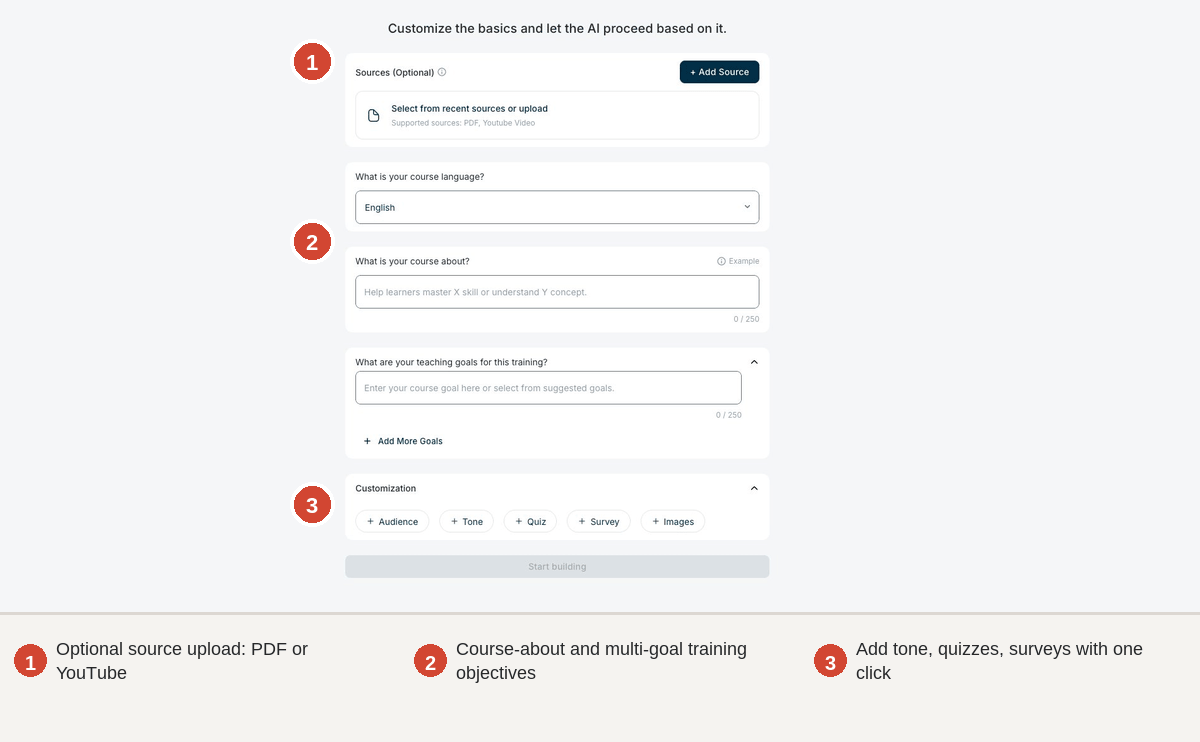
Mini Course Generator (MCG) is built for one job: producing short, embeddable mini-courses that capture leads or warm a list before a paid offer. The AI assistant handles the structure, content drafting, and quiz generation. The 14-day free trial covers the full product.
The output is mobile-friendly by default and easy to share with a link. MCG integrates with external tools like Synthesia for avatar video, Canva for graphics, and NotebookLM for audio inputs, which makes it more of a hub than a standalone generator.
What MCG does well
- Lead-magnet focus. The whole product is tuned to “free course in exchange for email.”
- Hub model. Pulls in assets from other AI tools rather than trying to do everything natively.
- Editable AI output. User reviews specifically call out the ability to restructure modules after generation, which not every tool allows.
Where it falls short
- Free is a 14-day trial, not a permanent tier. After that, paid plans start at $49/month.
- The mini-course format ceiling is intentional. Full courses with grading and certifications are not the target.
- Learner UI is plain by reviewer accounts. Branding customization is limited.
Mini Course Generator pricing
14-day free trial of the full product. Paid plans from $49/month.
COURSE.IM: Best for embedding free courses on an existing site
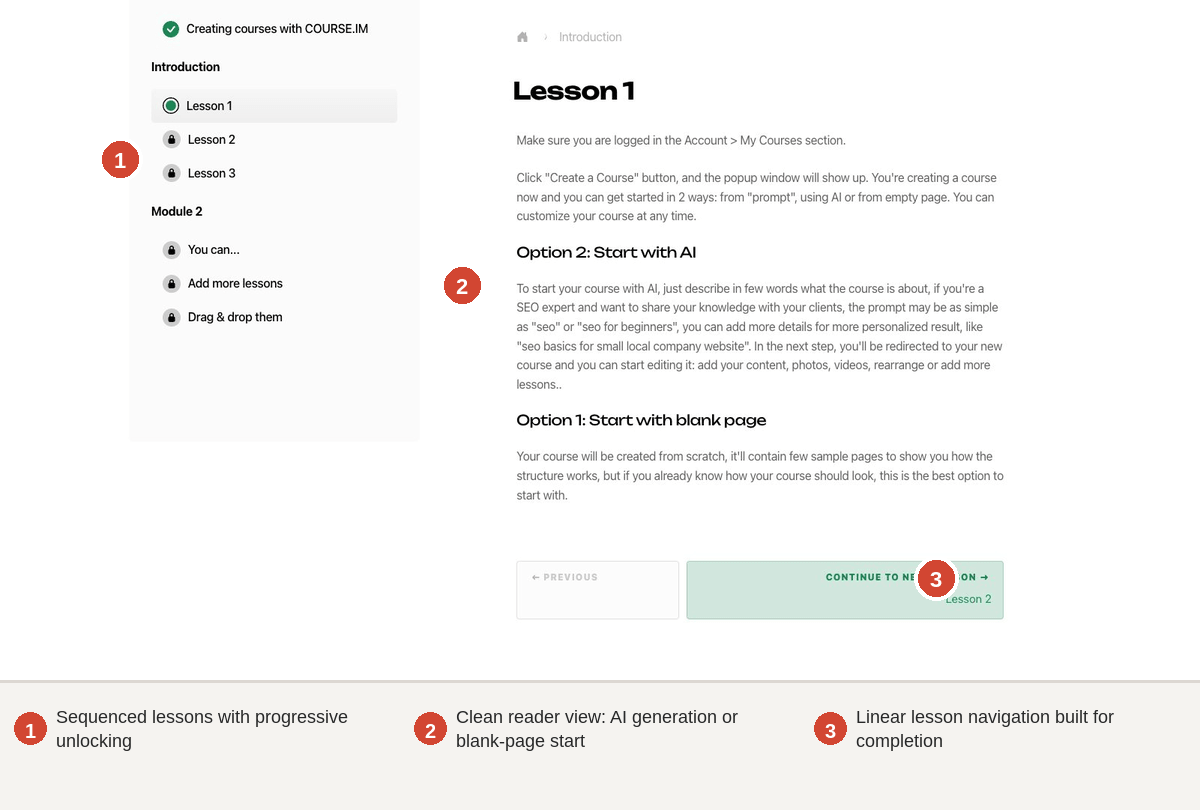
COURSE.IM is a free tool that creates mini-courses with a Notion-like editor and embeds them on any website. The pitch is simple: skip the LMS, skip the platform fees, just embed a course as easily as you would an Instagram post.
For affiliate sites, content blogs, or service businesses that want to host a free educational asset without rebuilding their stack, this is the cleanest path.
What COURSE.IM does well
- Free tier covers the core product. Course creation and embedding are not paywalled.
- Notion-style editor. Familiar to anyone who has used Notion, Coda, or similar block-based tools.
- Embed-first design. Built to live on your site, not on theirs.
Where it falls short
- Not a course-selling platform. Embedding is the model. Checkout, certificates, and student management are not the focus.
- Mini-course format. Like MCG and Brainmunk, the ceiling is short-form.
- Smaller ecosystem. Fewer integrations and a smaller user base than the major tools.
How to choose
1. Are you a learner or a creator?
If you want a course to take: Brainmunk.
If you want a course to sell: Coursebox.
Most search confusion comes from conflating these two cases.
2. Do you need a permanent free tier or just a free start?
Permanent free: Brainmunk (3 courses), Canva Magic Activities (for educators), COURSE.IM.
Free start, paid past a threshold: Coursebox (3 courses then paid), Mini Course Generator (14-day trial).
3. Does the course need to live on your own site?
Yes: COURSE.IM (embed-first) or Coursebox (LTI 1.3 / SCORM export on higher tiers).
No, learner-facing only: Brainmunk or Mini Course Generator.
Already thinking past the free stage? See Best AI Course Creator (2026) for the full comparison of paid platforms, or How to Use AI to Create an Online Course for the step-by-step production workflow.
Topic-Specific Free Courses
- Learn QuickBooks
- Learn Zapier
- Learn Canva
- Learn HubSpot
- Learn SEO Fundamentals
- Learn Graphic Design Basics
- Learn Excel Basics
- Learn Video Editing Fundamentals
Frequently asked questions
What is the best free AI course generator in 2026?
The answer depends on intent. For self-learners who want to generate a course on a topic and actually learn from it, Brainmunk is the strongest free option, with research-backed lessons, cited sources, curated videos, and quizzes generated in under a minute. For creators who want to build courses they can eventually sell, Coursebox has the most capable free tier on a serious commercial product, including 3 full courses and all AI features active.
Can I sell a course I generate with a free AI tool?
On most free tiers, yes, but with constraints. Coursebox lets you sell courses produced on its free plan. Mini Course Generator’s 14-day trial lets you launch a sellable course. Brainmunk, COURSE.IM, and Canva Magic Activities are not designed for direct course sales: Brainmunk is built for learners not sellers, COURSE.IM embeds on your site as free content, and Canva is built for classroom use.
How is Brainmunk different from Coursebox?
Brainmunk is for self-learners who want to generate a course on a topic and learn from it. The product includes live web search, cited sources, curated YouTube videos, and quizzes, but there is no export, no branding customization, and no sales infrastructure. Coursebox is for creators who want to build courses they sell or deploy in an LMS. Output is exportable, brandable, and ready to monetize. Different products for different jobs, both with strong free options.
Is Brainmunk really free or is there a catch?
The free tier is genuinely free. Three full courses on any topic, with citations, curated videos, and quizzes per lesson. No credit card required to start. Past three courses, Premium runs $9.99/month for 10 courses per month with priority generation and course sharing. No contracts, cancel anytime, and courses you have already generated stay accessible even if you cancel.
Is Canva’s AI course creator really free?
Yes, for verified K-12 educators under Canva for Education. The free tier includes full access to Magic Activities, design tools, and premium content. For non-educators, Canva Pro starts at $14.99/month and includes broader AI features but is not specifically a course generator.
How long does it take to generate a course with a free AI tool?
Brainmunk averages under 60 seconds for a 5 to 6 lesson course with citations and embedded videos. Coursebox’s document-to-course conversion takes under two minutes for a typical PDF. COURSE.IM and Mini Course Generator are also fast for shorter outputs. Editing the generated output into something genuinely publish-ready (for creators who want to sell) takes another 10 to 20 hours regardless of which tool you use, since AI output is structurally sound but generic without human input.