 Geoff Cudd
Kajabi Basic costs $143 a month billed annually. That is three to four times what Thinkific or Teachable charge, and the whole question is whether it replaces enough of your other software to cover the gap. Every plan, the fee Kajabi leaves out of its headline, and what a full year costs are in the Kajabi pricing section below.
Here is the line. ConvertKit at $50 plus Leadpages at $49 comes to $99 a month, so Kajabi costs you $44 more than running both. Add ClickFunnels at $97 and your stack hits $196, and Kajabi saves you $53. Two tools and you are paying a premium for one login. Three and it pays for itself.
If you only need to deliver courses, you are overpaying here. Thinkific from $40 a month or Teachable from $29 will serve you better.
Note: Kajabi overhauled its pricing in January 2026, removing the entry-level Kickstarter plan and raising every tier for the first time in its history. Existing customers were not grandfathered, and the backlash in creator communities was real.
Skip ahead to our free calculator for your real monthly and annual price.
We offer this website completely free to our visitors. To help pay the bills, we’ll often (but not always) set up affiliate relationships with the top providers after selecting our favorites. However, we do our best not to let this impact our choices. There are plenty of high-paying companies we’ve turned down because we didn’t like their product.
An added benefit of our relationships is that we always try to negotiate exclusive discounts for our visitors.
Kajabi Real User Reviews Video
Kajabi Pricing (2026)
Kajabi costs $143, $199 or $399 a month billed annually, or $179, $249 and $499 paid monthly. There’s no free plan.
Annual billing saves 20%. That’s $432 a year on Basic, $600 on Growth and $1,200 on Pro.
Kajabi’s standard free trial is 14 days. Our link extends it to 30.
| Basic | Growth | Pro | |
|---|---|---|---|
| Monthly price | $179/mo | $249/mo | $499/mo |
| Annual price | $143/mo | $199/mo | $399/mo |
| Products | 5 | 50 | Unlimited |
| Contacts | 2,500 | 25,000 | 100,000 |
| Websites | 1 | 1 | 3 |
| Admin users | 2 | 11 | 26 |
| Transaction fees | 0% (Kajabi Payments) | 0% (Kajabi Payments) | 0% (Kajabi Payments) |
| Affiliate tools | No | Yes | Yes |
| Advanced automations | No | Yes | Yes |
| Remove Kajabi branding | No | Yes | Yes |
| Custom code editor | No | No | Yes |
| Branded mobile app | No | No | Yes |
Growth is the plan I recommend. Basic looks cheaper until you notice what is missing: no affiliate tools, no advanced automations, and Kajabi branding stays on everything. Those three are most of why people buy Kajabi in the first place, and they all start at Growth. Pro is for agencies that need three websites, 25 admin seats, custom code, and a branded student app.
The fee Kajabi doesn’t put in the headline
Kajabi’s pricing header says “No hidden fees. No revenue sharing.” It then takes up to 2% of every sale if you use a third-party payment provider.
Two are exempt. Kajabi’s own footnote excludes Kajabi Payments and PayPal, so the surcharge lands on Stripe and everything else.
It stacks. Kajabi’s wording is that it’s “subject to additional fees from selected payment provider,” so you pay Stripe and Kajabi.
| Plan | Kajabi Payments | Kajabi’s extra cut on Stripe |
|---|---|---|
| Basic | 2.9% + $0.30 | +2% |
| Growth | 2.8% + $0.30 | +1% |
| Pro | 2.7% + $0.30 | +0.5% |
What Kajabi costs on $2,000 a month in sales
Say you sell $2,000 across 20 transactions of $100, on the Basic plan billed annually.
| Kajabi Payments | Your own Stripe | |
|---|---|---|
| Processing | $64 | $64 |
| Kajabi’s cut | $0 | $40 |
| Fees per month | $64 | $104 |
| Year one, plan plus fees | $2,484 | $2,964 |
On Basic, bringing your own Stripe account costs you $480 more a year than using Kajabi Payments.
When upgrading pays for itself
If you’re on Stripe, higher plans cut Kajabi’s surcharge. Here’s the monthly revenue you need before that saving covers the higher subscription.
| Upgrade | Extra cost | Fee saved | Breaks even at |
|---|---|---|---|
| Basic to Growth | $56/mo | 1% | $5,600/mo in sales |
| Growth to Pro | $200/mo | 0.5% | $40,000/mo in sales |
On Kajabi Payments you can ignore that table. The processing rate only drops a tenth of a percent per tier, so you’d need about $56,000 a month in sales before it paid for an upgrade.
The limits force the upgrade instead:
- Contacts. Basic caps at 2,500, and that counts everyone on your list, not just buyers. It’s the wall most people hit first.
- Products. 5 on Basic, 50 on Growth, unlimited on Pro.
- Admin users. 2 on Basic. Hire a VA and a contractor and you’re out of seats.
- Websites. 1 on Basic and Growth. Only Pro gives you 3.
- AI credits. None on Basic, 500 on Growth, 1,000 on Pro. Top-ups are $15 a month for 500.
Marketing emails, landing pages, funnels and access groups are unlimited on every plan, Basic included, so they’re no reason to upgrade.
Current Kajabi Promo: 30 Day Free Trial + Free Exclusive Bonus
Kajabi’s standard free trial is 14 days. Our link gets you a full 30.
Sign up through our link and you’ll also get our free AI Prompt Library for course creators.
We built it after using many of the prompts ourselves for our own course, so everything in it has been tested. It covers every stage from outline to launch and works with any AI tool.
What will Kajabi actually cost you?
Get your real monthly and annual price, see how it stacks up against paying for separate tools, then find your plan.
Affiliate link. We may earn a commission if you sign up, at no extra cost to you.
Check the tools you currently pay for. Edit any price to match what you actually pay. Kajabi rolls all of these into one plan.
Stack prices are typical starting prices, not exact quotes. Affiliate link, no extra cost to you.
1. How big is your audience / contact list?
2. Will you run a community or membership?
3. Need advanced automation, multiple sites, API, or a branded app?
Is Kajabi Worth the Money?
Run the numbers on your own stack before you decide. Here is what Kajabi absorbs and what those pieces cost separately.
| Tool | Included in Kajabi? | 3rd Party Cost |
|---|---|---|
| Email marketing | Yes | $50 to $150/mo (ConvertKit, Mailchimp) |
| Sales funnel builder | Yes | $97 to $297/mo (ClickFunnels) |
| Landing page builder | Yes | $49 to $99/mo (Leadpages) |
| Website hosting | Yes | $10 to $30/mo |
| Marketing automation | Yes (Growth plan+) | $49 to $150/mo (ActiveCampaign) |
| Affiliate management | Yes (Growth plan+) | $49 to $100/mo (Rewardful, Tapfiliate) |
| Community platform | Yes | $49 to $199/mo (Circle, Mighty Networks) |
| Potential 3rd party total | $353 to $1,025/mo |
Count the rows you actually pay for today. If it is five or more, Kajabi is the cheaper option and you get one login instead of five. If it is one or two, you are buying software you will not open.
What Kajabi Does Well
The marketing tools are the actual product
Every course platform delivers courses. What separates Kajabi is everything wrapped around the course. Email marketing is built in with unlimited sends on all plans. The Pipeline Builder assembles landing pages, videos, and email sequences into an automated funnel that moves a lead toward a purchase. Automations fire on purchase behaviour, course completion, or inactivity, so you can chase the students who stopped watching without touching a spreadsheet.
On top of that you get a website builder with a theme library, a blog, podcast hosting, a newsletter tool for free or paid subscribers, built-in analytics, and a checkout that Kajabi redesigned and reports converts better. Payments run through Stripe, PayPal, Apple Pay, Google Pay, or Kajabi’s own system, with payment plans and subscriptions for memberships.
Communities are built in, not bolted on
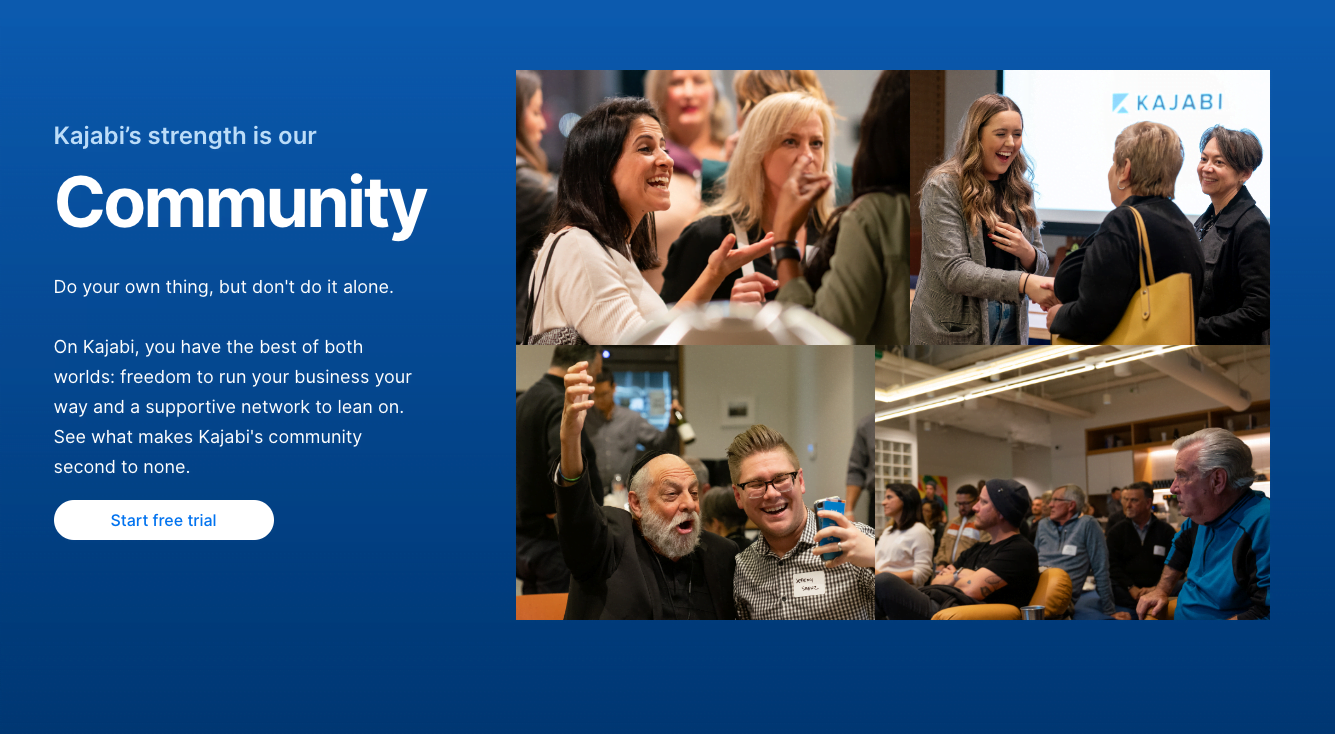
You can run forums and discussion groups inside the platform, sold as part of a course, as a standalone product, or as a paid membership add-on. Circles segment members into smaller groups, live rooms handle real-time Q&As, and challenges and check-ins keep people accountable. Access groups inside a community do not count against your product limit, so an unlimited number is fine even on Basic.
The AI tools go further than a course outline
Creator Studio will draft course outlines, lesson content, email sequences, and landing page copy. It also handles transcriptions and subtitles, and it will cut social clips, blog posts, and marketing copy out of a course you have already made. For anyone staring at a blank page, this removes the worst part of the job.
Deep brand customization, custom domains, completion certificates, and coaching tools for live sessions round out the rest. If you need help building something complex, see our guide to hiring a Kajabi designer or developer.
Where Kajabi Falls Short
- The price, and no free plan. $179 a month is the floor, and the January 2026 restructure took away the cheaper Kickstarter tier without grandfathering anyone on it.
- Basic is a trap for most buyers. Affiliates, advanced automations, and branding removal all need Growth at $249 a month, and those are the features people come to Kajabi for.
- The Stripe surcharge. Bring your own Stripe and you pay 2% on Basic, 1% on Growth, 0.5% on Pro. Only Kajabi Payments and PayPal are exempt. Easy to set up wrong and never notice.
- The course marketplace is small and has no search for students, so it will not send you customers. Every sale comes from your own marketing.
Is Kajabi Legit?
Yes. It was founded in 2010 by Travis Rosser and Kenny Rueter, and is headquartered in Irvine, California. Over 33 million students have taken courses on it, and creators have earned more than $6 billion through the platform.

Users include Amy Porterfield in online marketing, Brendon Burchard in personal development, and Billy Gene in social media marketing.
Kajabi Website Case Studies
1. Grant Cardone Training Center

A large library of sales training videos, with landing pages and email marketing bringing in a steady flow of new clients.
2. Glossible by Sonia Roselli Beauty

Several small makeup artistry courses plus an ecommerce shop for a second revenue stream, with landing pages and email doing the converting.
3. Juice Guru Institute
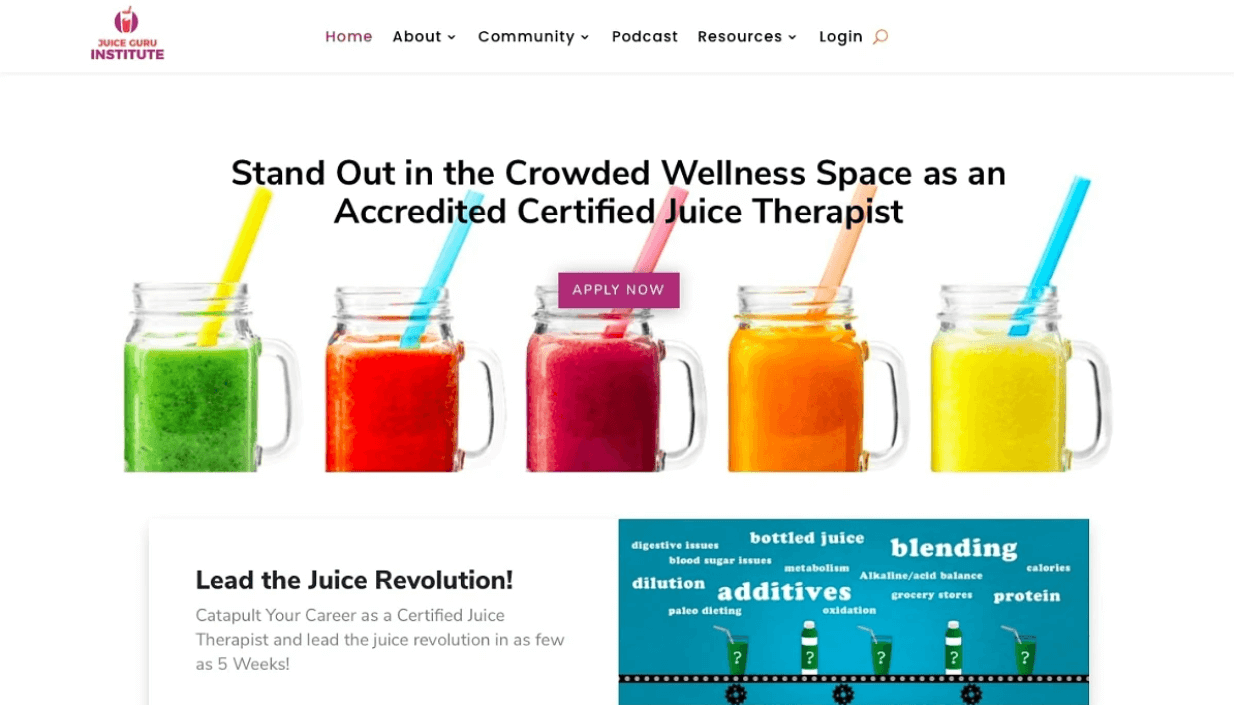
A polished landing page built from Kajabi templates, with the blogging tool pulling in organic search traffic.
4. Full Plate Living
Nutrition programs sold entirely off SEO content, with no paid media, using analytics to find what converts.
Alternatives to Kajabi
If the consolidation case does not hold for you, these are the platforms to look at instead:
- Thinkific from $40/month billed annually. Best for beginners, integrates with the tools you already have. Read our review | Kajabi vs Thinkific | How to migrate
- Teachable from $29/month billed annually. The fastest setup of any platform here. Read our review | Kajabi vs Teachable | How to migrate to Kajabi
- Systeme.io has a genuinely free plan covering 1 course, funnels, and email up to 2,000 contacts. The cheapest all-in-one route.
- LearnDash if you already run WordPress. Read our review
- Podia for selling downloads and memberships alongside courses. Read our review
- Udemy if you want marketplace exposure and will trade pricing control for it. Read our review
We rank all of them in our guide to the best online course platforms.
Frequently Asked Questions
How much does Kajabi cost in 2026?
Basic is $179/month ($143 annually), Growth is $249/month ($199 annually), and Pro is $499/month ($399 annually). A free trial comes with every plan, and our link extends it to 30 days.
Did Kajabi raise prices?
Yes. In January 2026 Kajabi raised prices for the first time in nearly a decade and removed the Kickstarter entry plan. Existing customers were not grandfathered at old rates, which caused significant backlash in creator communities.
Is Kajabi free?
No. Kajabi offers a free trial, 30 days through our link, but has no permanent free plan. The cheapest paid option is $143/month billed annually.
How long is the Kajabi free trial?
Kajabi’s standard free trial is 14 days. Our link opens a 30-day trial instead, which doubles the time you get to test it before paying.
Does Kajabi charge transaction fees?
Not when you use Kajabi Payments or PayPal. Any other provider, Stripe included, adds 2% on Basic, 1% on Growth, and 0.5% on Pro, on top of that provider’s own fees. Kajabi Payments itself costs 2.9% plus 30 cents on Basic, 2.8% on Growth and 2.7% on Pro for US accounts.
What is the cheapest way to use Kajabi?
Basic billed annually at $143 a month, taking payments through Kajabi Payments or PayPal. On Basic, your own Stripe account adds Kajabi’s 2% on top of Stripe’s rate, which costs about $480 more a year on $2,000 a month in sales.
How many contacts does Kajabi Basic include?
Basic includes 2,500 contacts, Growth 25,000 and Pro 100,000. The cap counts everyone on your list, not just customers, and it’s the limit most people reach first.
Does Kajabi replace MailChimp?
Yes. Email marketing is built in, so you do not need a third-party provider. You can still integrate ConvertKit, Mailchimp, or ActiveCampaign if you would rather keep your existing setup.
What is a Kajabi pipeline?
Pipelines are marketing funnels. You connect landing pages, videos, and email sequences into an automated series that nurtures a lead toward a purchase.
Can I sell physical products on Kajabi?
Yes, though the platform is built primarily for digital products and courses.
Is Kajabi mobile friendly?
Yes. Courses are fully mobile responsive and every user gets Kajabi’s free mobile app. Pro adds a branded app for your own students.
Is Kajabi an LMS?
Yes. Kajabi is a web-based learning management system supporting course creation, delivery, and student tracking in written and video formats.
What does Kajabi mean?
According to co-founder Travis Rosser, “Kajabi” comes from an Aboriginal word meaning “to take flight.”